
AI Applications
AI in Construction: Uses, Benefits, Tools, Challenges, and Future Trends


Construction projects involve thousands of decisions about designs, materials, costs, schedules, workers, equipment, and safety. AI is now helping construction companies handle some of these tasks faster and with more data. From creating design ideas to tracking work on a jobsite, AI can support teams at different stages of a project.
My connection to this topic comes mainly from learning about AI and its real-world applications. I have also used ChatGPT to get ideas for a home map, which helped me understand how useful AI can be during early planning. At the same time, I would not trust an AI-generated construction estimate or design without professional checking. For financial and safety decisions, human experience and professional judgment remain essential.
In this guide, I will explain how AI in construction is being used, where it can provide practical benefits, which challenges companies need to consider, and what the future may look like.
What Is AI in Construction?
AI in construction means using artificial intelligence technologies to support tasks involved in planning, designing, building, monitoring, and maintaining construction projects. These technologies include machine learning, computer vision, natural language processing, predictive analytics, generative AI, robotics, and other data-based systems.
AI can examine large amounts of information and identify patterns much faster than a person working manually. For example, a system can analyze previous project schedules and current project information to identify possible delays. Computer vision can examine construction images or video and help detect safety problems, missing work, or differences between a plan and the actual site.
AI in construction can also work with Building Information Modeling, or BIM, Internet of Things sensors, drones, cloud platforms, and digital twins. When these technologies share reliable data, project teams can get a clearer picture of what is happening.
The goal is not simply to replace people. AI can handle repetitive analysis and provide useful information, while architects, engineers, managers, contractors, and workers continue to make important decisions.
How AI Is Used in Construction
AI in construction can support almost every major stage of a project. Its uses range from early design and estimating to site monitoring, safety, maintenance, and sustainability.
AI for Design and Generative Planning
AI can help create and compare different design options based on factors such as budget, materials, space, energy use, and performance.
I have personally used ChatGPT for ideas related to a home map. For me, this showed how AI can be useful when someone is still exploring ideas. A person can ask AI to suggest different layouts or think through possible arrangements before discussing the project with a professional.
However, AI-generated ideas should not be treated as approved construction plans. Structural requirements, building codes, electrical systems, plumbing, soil conditions, and safety standards require professional review.
Generative design can also help professional teams explore many possible configurations instead of testing every option manually. This can support better use of space and materials.
AI for Cost Estimation and Bidding
Cost estimation is another important area for AI in construction. Estimating a project can involve material quantities, labor, supplier prices, regional costs, timelines, and possible changes.
AI estimating systems can analyze drawings and help identify and measure construction features. This can make quantity takeoffs and cost modeling faster.
Some systems can also consider supplier information, inflation, supply chain conditions, and possible change orders. These capabilities can give contractors more information before preparing a bid.
I would still be very careful with AI-generated estimates. A small mistake in a quantity or price can affect a large project budget. I would use AI as a starting point, not as the final financial authority. A qualified professional should check important estimates before they are used.
AI for Scheduling and Risk Management
Construction schedules can change because of material shortages, labor problems, equipment failures, design changes, and unexpected site conditions.
AI can study historical schedules and current project information to identify patterns associated with delays. Predictive systems can help managers understand where schedule or cost risks may appear.
nPlan is one example described in the research. It uses machine learning to analyze historical construction schedules and forecast possible outcomes.
This type of AI in construction does not make the final project decision. Instead, it gives managers additional information so they can decide where attention and resources are needed.
AI for Equipment and Predictive Maintenance
Equipment breakdowns can interrupt work and create unexpected expenses. AI can help construction companies monitor equipment and identify possible problems before a major failure occurs.
Sensors can collect information about temperature, vibration, fuel use, and machine activity. AI can analyze these patterns and provide warnings when something appears unusual.
This is known as predictive maintenance. Instead of waiting for equipment to break, teams can use data to plan maintenance earlier.
AI can also help managers understand equipment utilization and decide where machines should be allocated. This can make planning easier and help reduce unnecessary downtime.
AI for Site Monitoring and Progress Tracking
Keeping track of construction progress can be difficult, especially on large projects. AI-powered cameras, drones, robots, and computer vision systems can collect information from the jobsite.
Some systems compare site images with BIM models and project schedules. This can help teams identify incomplete work or activities that are falling behind.
Doxel combines LiDAR, autonomous robots, and computer vision to monitor construction progress. Buildots uses 360-degree camera footage and computer vision to track construction activity and compare it with project plans.
Early detection matters because managers have more time to respond when they discover a delay before it affects other parts of the project.
AI for Quality Control and Defect Detection
Quality problems can result in rework, additional costs, and delays. AI can support inspections by analyzing construction images, inspection records, and project information.
Computer vision can compare completed work with drawings, specifications, or expected standards. It can help identify deviations and recurring problems.
AI can also organize inspection information and connect problems with specific work packages. This can make it easier to track quality issues.
Human inspectors remain important because AI systems can make mistakes or misunderstand what they see. Important findings should be reviewed before corrective action is taken.
AI for Safety and Risk Prevention
Safety is one of the most important applications of AI in construction. Computer vision systems can analyze video and images to identify hazards or check whether workers are using required personal protective equipment.
AI can also examine safety observations, incident reports, schedules, and other information to identify patterns connected with risk.
Oracle’s construction safety solution, for example, analyzes project information to create risk forecasts. Other systems combine cameras, sensors, and connected worker technologies to provide additional safety information.
I would be especially careful with AI in this area. A wrong recommendation about worker safety could have serious consequences. AI should support trained safety professionals rather than replace them.

AI for Supply Chain Coordination
Construction projects depend on materials arriving at the right place and time. A delay in one important material can affect several activities.
AI can analyze procurement, inventory, supplier, delivery, and schedule information to help forecast material demand and identify possible delivery risks.
When supply chain information is connected with project schedules, managers can better understand how a material problem could affect the rest of the project.
AI for Robotics and Autonomous Equipment
AI is also moving from software into physical construction work. Robots and drones can support surveying, measurement, layout, inspection, progress monitoring, and material movement.
Dusty Robotics, for example, has developed a layout robot that uses BIM-based plans to print layouts directly onto floors.
Other robotic systems can support tasks such as bricklaying, welding, demolition, monitoring, and cleanup. These technologies can reduce repetitive work and allow people to focus on activities that require experience and judgment.
AI for Sustainability and Energy Performance
AI in construction can also support sustainability. Systems can analyze energy use, materials, equipment activity, and other information to identify possible improvements.
During design, AI can compare options based on energy performance and material use. After construction, intelligent monitoring can compare actual building performance with the original design goals.
This can help companies understand whether a building is operating as planned and where energy or resource use could be improved.
Benefits of AI in Construction
Improved Productivity and Efficiency
One major benefit of AI in construction is its ability to automate repetitive work. Drawing analysis, estimating, document processing, reporting, and progress tracking can require many hours of manual effort.
AI can process large amounts of information quickly, giving construction teams more time for planning, communication, and problem-solving.
Better Decision-Making
Construction projects generate large amounts of data, but data is only useful when teams can understand it.
AI can find patterns in schedules, costs, equipment information, safety reports, and site images. These insights can give managers more information when making project decisions.
Improved Safety and Quality
AI can support both safety and quality by helping teams identify problems earlier.
Computer vision can identify possible hazards, while AI-based inspection systems can help find defects or differences between planned and completed work. Earlier detection can reduce the chance that a small problem becomes a larger one.
Reduced Costs, Delays, and Rework
AI can support more accurate planning, predictive maintenance, progress monitoring, and quality control.
For example, finding a schedule problem early may give a manager enough time to change resources or adjust activities. Identifying a defect before later work depends on it can also reduce expensive rework.
Better Collaboration and Project Visibility
AI can organize and summarize information from reports, meeting notes, correspondence, schedules, and other project documents.
When design, financial, procurement, field, and scheduling information is connected, teams can develop a better understanding of project performance.

Challenges of AI Adoption in Construction
Data Integration and Data Quality
AI in construction depends heavily on reliable data. Incomplete, outdated, or disconnected information can produce poor results.
Construction companies may use separate systems for design, finance, scheduling, procurement, and field operations. Connecting these systems can take time and resources.
Workforce Skills and Training
Employees need training to use AI tools correctly. They should understand what a system can do, where it can make mistakes, and when human judgment is required.
AI works best when it supports professional knowledge instead of asking people to accept every AI recommendation automatically.
Cost and ROI
AI adoption can require investment in software, hardware, data systems, training, and integration.
A practical approach is to start with one clear problem. A company can test an AI solution, measure its results, and decide whether wider adoption is worthwhile.
Trust, Transparency, and Human Oversight
AI can make mistakes, and those mistakes can matter when money, safety, or construction quality is involved.
My own approach to AI is to treat it as a helpful assistant rather than an unquestionable authority. I would use it for ideas, research, and support, but important decisions should be checked by qualified people.
AI Tools and Technologies in Construction
AI Estimating and Contract Analysis
Togal.AI focuses on drawing takeoffs and estimating, while Document Crunch uses AI to analyze construction contracts and identify risks, obligations, and compliance issues.
These tools can reduce the amount of time spent reviewing large amounts of information.
Computer Vision and Site Monitoring
Buildots and Doxel are examples of technologies that use computer vision and related systems to monitor construction progress.
They can compare actual site conditions with project plans and help identify possible delays or differences.
Predictive Analytics and Scheduling
Predictive AI tools can study historical and current project data to identify possible schedule risks.
nPlan is one example discussed in the research, with a focus on construction schedule risk analysis.
Robotics, Drones, and Autonomous Equipment
Robots and drones can support layout, surveying, inspection, measurement, progress capture, and other repetitive tasks.
These technologies show how AI in construction can extend beyond computer software and support physical work on a jobsite.

Smart PPE and Connected Worker Systems
Smart PPE and connected worker technologies can collect information about workers, movement, location, environmental conditions, and safety.
When connected with other project information, these systems can provide additional support for safety management.
Digital Twins and BIM-Connected AI
BIM provides structured information about buildings and projects. Digital twins can connect digital models with information from real-world conditions.
AI can analyze this information to support design, construction, maintenance, and energy monitoring.
Future of AI in Construction
More Autonomous Construction
Robots, drones, and autonomous equipment are likely to support more repetitive construction activities in the future.
They may assist with surveying, layout, inspection, monitoring, material handling, and other tasks. Human workers will still be needed to supervise systems, solve unexpected problems, and make practical decisions.
Smarter Digital Twins and Connected Data
Digital twins can become more useful when they receive information from sensors and project systems.
AI can analyze this information to identify changes, predict maintenance needs, and monitor building performance.
Sustainable and Energy-Efficient Construction
AI can help compare designs based on energy use and material choices. After construction, intelligent monitoring can identify inefficient energy use and compare actual performance with planned targets.
As companies work to reduce waste and improve energy efficiency, AI can provide another way to measure and manage these goals.

Frequently Asked Questions About AI in Construction
How is AI used in construction?
AI in construction is used for design, cost estimation, scheduling, risk management, equipment maintenance, site monitoring, quality control, safety, supply chain management, robotics, and sustainability. It can analyze large amounts of project information and help teams identify patterns or possible problems.
Can AI replace construction workers?
AI can automate some repetitive tasks, but it does not remove the need for human knowledge and judgment. Workers and professionals are still needed to handle unexpected conditions, supervise technology, make important decisions, and perform tasks that require practical experience.
Is AI reliable for construction cost estimates?
AI can help create and analyze construction estimates, but important estimates should be reviewed by qualified professionals. AI can make mistakes because of incorrect data, missing information, changing prices, or other project conditions. I would use an AI estimate as a starting point rather than treating it as the final financial decision.
Conclusion
AI in construction is becoming a practical tool for planning, design, estimating, scheduling, safety, quality control, equipment maintenance, site monitoring, supply chains, robotics, and sustainability.
My experience using ChatGPT for a home map helped me understand how AI can be useful when exploring construction ideas. At the same time, I would not rely on AI alone for an important design, estimate, financial decision, or safety decision.
The most practical approach is to use AI where it can save time, organize information, identify patterns, and support professionals. Companies should begin with clear problems, use reliable data, train their teams, and measure results.
The future of AI in construction is likely to involve more connected data, smarter digital twins, advanced robotics, predictive systems, and sustainable building technologies. Even as these tools become more capable, human expertise will remain an important part of successful construction.

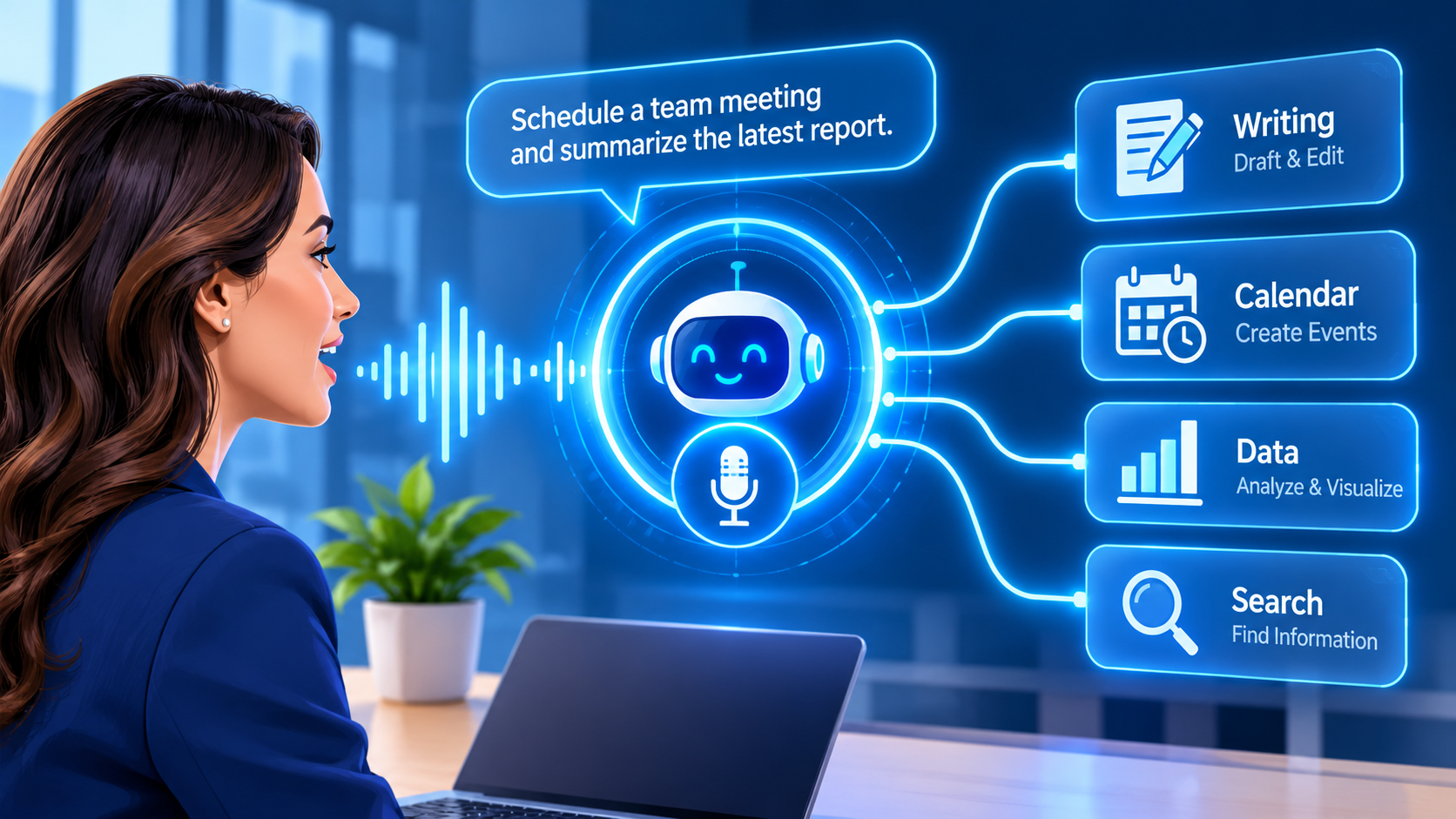
A controlled experiment cited in the sources behind this guide found that people who used ChatGPT finished tasks about 40% faster, and their work scored about 18% higher in quality. Numbers like that explain why AI assistant apps have become one of the most crowded software categories in 2026. They also explain why picking the wrong AI assistant app wastes money and time. I use an AI assistant app almost every day for research, article planning, and drafting, and I have worked with ChatGPT, Claude, Gemini, and DeepSeek firsthand. To cover the rest of the market, I compared five published roundups and one product page that together describe more than 30 tools. This guide shows which AI assistant app fits general use, research, email, calendars, projects, meetings, and automation. You will also see prices, free plans, privacy checks, and the claims I would not trust at face value.
Transparency note: I have no affiliate links or paid relationships with any tool here. I did not run formal, multi-week tests on every product, and when a number comes from a company’s own article, I say so.
What Is an AI Assistant App and Why Does It Matter?
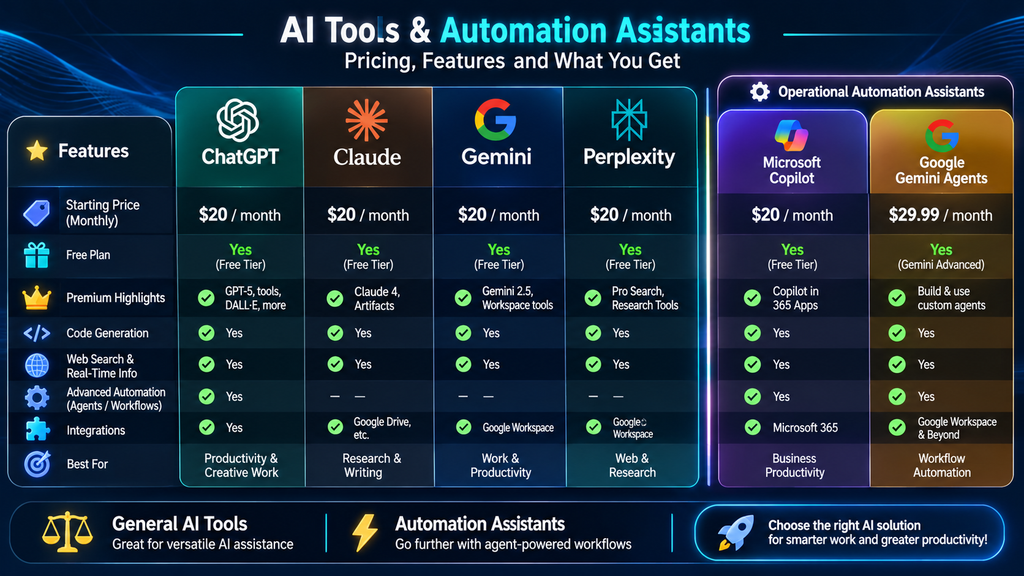
An AI assistant app is software that uses artificial intelligence to answer questions, plan your work, manage your schedule, write messages, research topics, and summarize information. A good AI assistant app also learns your preferences and connects to tools you already use, such as Gmail, Outlook, Google Calendar, Slack, and Drive. Some work like a general chat partner, and others focus on one job, such as sorting your inbox or protecting time on your calendar.
Every AI assistant app falls into one of three groups, and comparing across groups leads to poor choices. The first group is the chatbot. ChatGPT, Claude, Gemini, and Perplexity answer questions and write text, and you usually do the copying, pasting, and sending yourself. The second group is the single-app tool. Motion plans your calendar, Otter.ai transcribes meetings, and Reclaim.ai defends your focus time. Each one is excellent at a single job but cannot cross into other apps. The third group is the autonomous agent. This kind of AI assistant app operates software the way a human assistant would, browsing the web, filling in spreadsheets, and drafting emails, then pausing for your approval before anything permanent happens. Sai by Simular is built around this idea, and the agent mode in ChatGPT and the file and browser tasks in Claude point the same way.
Voice assistants form a separate category. Alexa, Siri, Bixby, and Google Assistant handle quick commands and smart home control. Alexa works with more than 100,000 devices and succeeded on the first try 96% of the time in one test, compared with 93% for Google Home and 84% for Siri. They are handy, but they were not built for deep knowledge work, so this guide focuses on the AI assistant app that helps you think, write, plan, and finish tasks.
Why bother with an AI assistant app at all? The biggest gain is time. A good AI assistant app handles the first draft, the first search, and the first sort of your inbox, which leaves the judgment calls to you. It also cuts context switching, since one AI assistant app can pull a file, summarize it, and draft the reply without you opening five tabs. One source says users report saving one to three hours a day, but self-reported figures are only a rough guide. In my experience, the savings come mostly from less manual reading and faster outlines, not from skipping the checking step.
I judged every AI assistant app on five points that kept showing up across the sources: accuracy, integrations, ease of use, control, and value. Accuracy asks whether answers are correct without constant coaching. Integrations ask whether the AI assistant app reaches your email, calendar, notes, and project tools. Ease of use asks whether you will still open it a month from now. Control covers approval before sending, source links, and permission settings. Value looks at usage caps, seats, and connected inboxes, not only the monthly fee. Most of them sell a product on the list, so I lean on claims that two or more sources agree on and flag the rest.
How do you know which kind you need? Ask yourself whether you need help thinking, help with one task, or help finishing a whole workflow. That single question narrows the field faster than any feature list, and it keeps your next AI assistant app purchase tied to a real daily bottleneck.
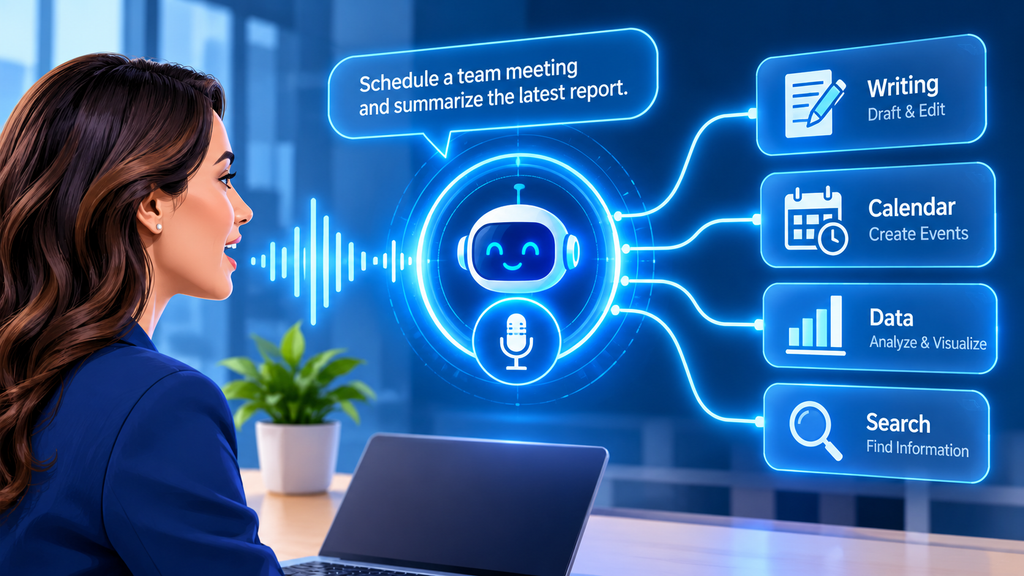
Best AI Assistant App for General Use, Research, and Writing
Most people start with a general AI assistant app. They add a specialist later. These tools suit broad work and research.
ChatGPT: The Best All-Round AI Assistant App
ChatGPT was widely recognized by most sources as the best all-rounder. This AI assistant app handles writing, planning, research, coding help, file analysis, images, and voice. Voice mode on a phone can use your camera. Agent mode, Canvas, Projects, and custom GPTs go beyond simple chat.
Plans start free. Plus costs $20 a month. Pro costs $200. Business plans run $20 to $25 per user. Vague questions get vague answers from this AI assistant app. The strongest agent features sit on higher tiers.
In my own work, ChatGPT is the AI assistant app I use most. I give it a topic, my target reader, a focus keyword, and a writing style. Then I ask for logical headings before any writing. That gives me a clean outline to check against my keyword research. Before this, research meant much more manual reading. Now I can generate ideas and create the initial structure more quickly. I have not tracked the exact time saved. I still check keywords, edit the draft, and verify key claims.
Claude: The AI Assistant App for Long Documents
Claude is the AI assistant app to pick for long documents and natural writing. One source gave this AI assistant app 10 competitors’ annual reports. That was more than 800 pages. It accurately pulled out pricing models and growth rates. It also noted where the data was unclear.
Pro costs about $20 a month. Max runs $100 to $200 for heavy use. I use Claude next to ChatGPT. It impressed me because it helps at several stages of content work. I have not measured one against the other. So I cannot name a winner.
Gemini: The AI Assistant App for Google Users
Gemini is the AI assistant app that shines if you live in Google. It works with Gmail, Docs, Drive, Calendar, and Android. You can ask it to find an email or list tomorrow’s meetings. Its Deep Research feature builds a plan before it writes a report.
Google AI Plus costs $4.99 a month. Google AI Pro costs $19.99. Ultra costs $99.99. I have used Gemini too, but not as deeply. Most strengths here come from reviewers. If your work sits inside Google, this AI assistant app rewards you most.
Microsoft Copilot is an AI assistant app for Microsoft users. It works inside Word, Excel, PowerPoint, Outlook, and Teams. One test found it built a pivot table, a chart, and conditional formatting from one plain request. It costs about $20 to $30 a month on top of Microsoft 365. It works poorly outside that world.
Perplexity: The AI Assistant App for Cited Research
Perplexity is an AI assistant app that gives every answer with source links. You can check claims instead of trusting them. In one test, it returned correct pricing for 9 of 10 competitors. Each came with a link to the pricing page. In another test, it wrote a competitive landscape report in 12 minutes. The source said a person would need 3 to 4 hours.
Pro costs $20 a month or $200 a year. This AI assistant app cannot act on what it finds. It will name the cheapest flight but not book it. Its citations on niche topics can also be wrong.
Grok: The AI Assistant App for Real-Time News
Grok is an AI assistant app from xAI. It connects to X and the live web. That makes it good at today’s news. X Premium costs about $8 a month. The Heavy plan runs around $300. Grok pulls from X in real time, so answers can be biased. Any important answer deserves a second check.
DeepSeek: The Low-Cost AI Assistant App
DeepSeek is an app with strong reasoning at a very low cost. It has a 128K token memory for long files. Developers can customize it. It surprised me the same way ChatGPT and Claude did. It helps at several stages of content work.
Creative writing trails the top models. Servers can get busy. Data concerns come with its China-based infrastructure. So I would keep sensitive work out of it. Even a free AI assistant app still needs fact-checking.
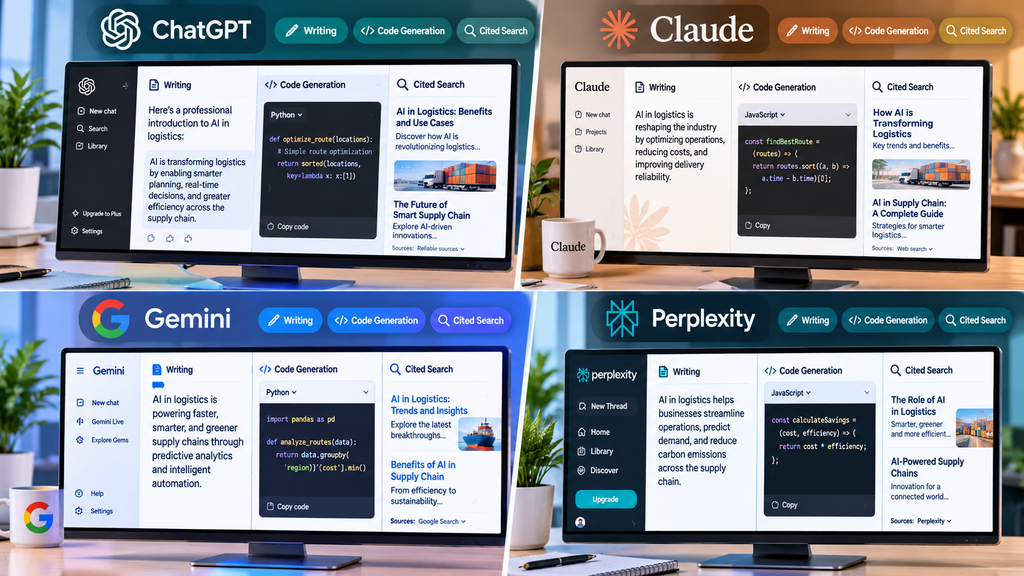
Best AI Assistant App for Email, Calendars, Projects, and Automation
When one daily task eats your time, a specialist AI assistant app usually beats a general chatbot. The sources agree on a few clear leaders.
alfred_: The AI Assistant App for Email
alfred_ is built for founders and executives who spend too much time in their inbox. This AI assistant app connects to Gmail, Outlook, and calendars. It sorts email, drafts replies, pulls tasks out of messages, and sends daily briefings. Nothing goes out until you approve it.
It costs $24.99 a month or $249 a year, with a 7-day trial. One FAQ in the same source says $29.99. So check the current price.
Superhuman: The Fast AI Assistant App for Inbox Zero
Superhuman is a keyboard-driven AI app for email. Grammarly now owns it. It mixes AI-written text with your saved snippets. You keep your voice and your speed. It starts at $40 a month. That is steep. The shortcuts also take time to learn.
Reclaim.ai: The Calendar AI Assistant App
Reclaim.ai is a calendar AI assistant app. It schedules habits, tasks, meetings, and breaks. It works inside Google Calendar or Outlook Calendar. You mark each habit as flexible or defended. It moves things around when a meeting lands. In a month-long test, one source says it kept 87% of target habits. That was despite a heavy meeting load.
A free plan exists. Paid plans were listed at $8, $10, or $12 per seat per month, depending on the source. If your calendar is chaos, this AI assistant app is the one to try first.
GoodDay: The Project Management AI Assistant App
GoodDay is a full project management system. It also works as an AI assistant app, with chat and agents on top. It offers lists, boards, Gantt views, time tracking, and dashboards. Professional costs $6 per user per month. Business costs $10. The company says over 100,000 teams use it. That claim comes from GoodDay’s own article, so weigh it with care.
Motion: The AI Assistant App for Scheduling Projects
Motion is another project AI app. It adds automatic scheduling. It also predicts when projects will finish. If something slips, it warns you early. Sources disagree on cost. Prices range from $19 to $49 a month. Check the current page.
Saner.AI: The Chat-First AI Assistant App
Saner.AI is a chat-first AI assistant app. It covers notes, tasks, email, and calendar. It turns messy thoughts into tasks. Plans cost $8 and $16 a month on yearly billing. These details come from Saner’s own article, so weigh them with care.
Notion AI: The AI Assistant App Inside Notion
Notion AI is an AI assistant app that answers questions across your Notion workspace. It is listed as an $8 plan or a $10 add-on. It works only inside Notion. So it helps most if Notion is already your home base.
Granola: The Meeting AI Assistant App
Granola is a meeting AI assistant app. It records audio from your own device. So no bot joins the call. It costs $18 a month. A free plan covers 25 meetings.
Otter.ai: The Transcription AI Assistant App
Otter.ai is a transcription AI assistant app. It joins Zoom, Teams, or Google Meet. It reached about 95% transcription accuracy in one test. It lists action items. It does not carry them out.
Zapier: Connect Any AI Assistant App to Your Tools
Zapier connects more than 9,000 apps. It makes any AI assistant app more useful. It lets Claude, ChatGPT, and other assistants take real actions through MCP. Pricing starts at $19.99 a month on annual billing.
Lindy: The Automation AI Assistant App
Lindy is an AI assistant app for automation. It handles inboxes, meetings, and follow-ups. Plans cost $49.99 to $199.99 a month. Beginners find setup confusing.
Sai: The Autonomous AI Assistant App
Sai by Simular runs on a real cloud desktop. It asks for approval before it sends or deletes anything. Pay-as-you-go costs $50 a month. Its 94% email accuracy figure comes from Simular itself. Verify it on a free trial.
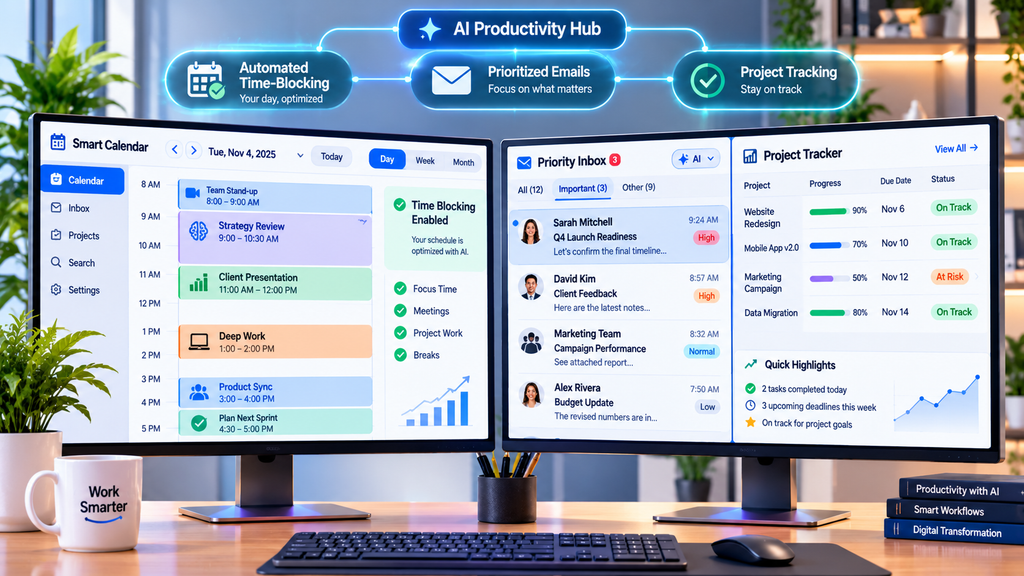
AI Assistant App Pricing Compared
Prices change often, and the sources did not always agree, so treat the table as a starting point and check each company’s pricing page. I have not kept a documented comparison of paid plans or their return on investment, so these figures come from the sources, not from my own billing.
| AI assistant app | Free plan | Typical paid entry point |
| ChatGPT | Yes | $20/month |
| Claude | Yes | $20/month |
| Gemini | Yes | $19.99/month |
| Microsoft Copilot | Basic | $20 to $30/month |
| Perplexity | Yes | $20/month |
| alfred_ | 7-day trial | $24.99/month |
| Superhuman | No | $40/month |
| Reclaim.ai | Yes | $8 to $12/seat/month |
| Saner.AI | Yes | $8/month |
| Zapier | Yes | $19.99/month |
| Lindy | 7-day trial | $49.99/month |
| Granola | 25 meetings | $18/month |
A few habits keep costs down. Start with the free plan of one AI assistant app and note which limit you hit most often. Pay only for the plan that removes that limit, and prefer monthly billing until you are sure the tool earns its place. Annual billing is cheaper, with GoodDay listing $4 and $7 per user instead of $6 and $10, but it locks you in. Use the 7-day trials from alfred_ and Lindy to test real work, not demo tasks. Finally, avoid paying for two AI app subscriptions that do the same job, such as two general chatbots.
Free options deserve a look first. ChatGPT, Claude, Gemini, and Perplexity all have free plans, and Meta AI and DeepSeek are free to use. Meta AI sits inside Instagram, WhatsApp, Messenger, and Facebook, but it trails ChatGPT and Claude in reasoning and carries privacy concerns. Monica puts several models in a browser sidebar and claims more than 10 million users, though its page shows no pricing details. The monthly fee is only part of the cost. Check usage caps, seats, connected inboxes, and storage, because a cheap AI assistant app that blocks your key action costs more than a pricier one that saves hours.
How to Choose the Right AI Assistant App for Your Needs
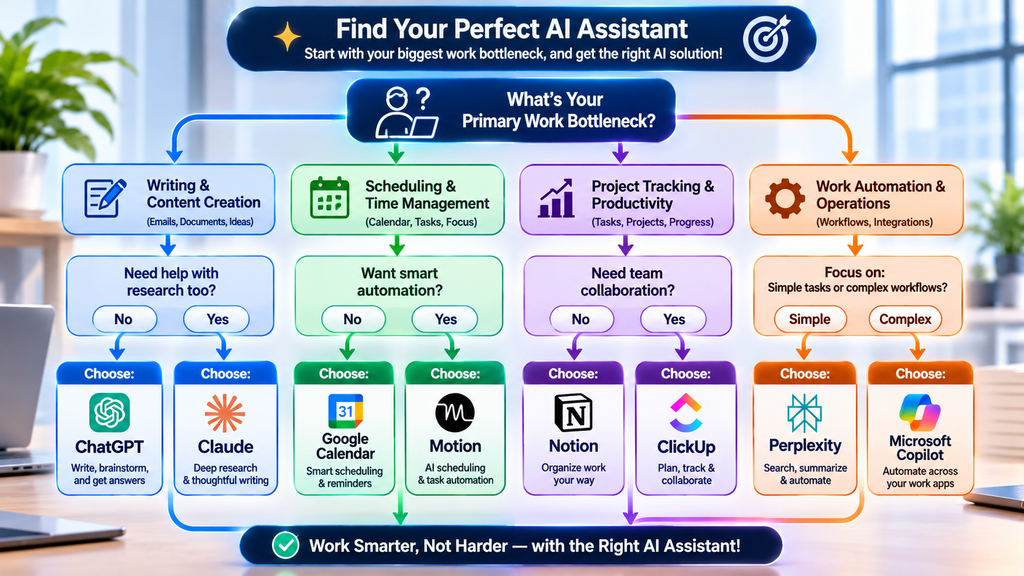
Start with your biggest daily bottleneck, not the tool with the longest feature list. If email eats your day, look at alfred_ or Superhuman. If your calendar is chaos, try Reclaim.ai. If you need research you can verify, pick Perplexity. If your work lives in Google or Microsoft apps, start with Gemini or Copilot. Then check what the AI assistant app can reach and what permissions it asks for. An assistant that cannot see your calendar, email, or files can only guess.
Different people need different setups. A student or beginner can start with the free plan of ChatGPT, Claude, or Gemini, since a general AI app covers questions, summaries, and writing help at no cost. A writer or researcher benefits from pairing a general AI app with Perplexity, so claims come with links. A manager or founder with a packed inbox should test alfred_ or Lindy, because an email-focused AI app removes the most repetitive admin. A team that lives in shared boards and deadlines may prefer GoodDay or Motion. A solo creator who juggles notes, tasks, and a calendar might like Saner.AI. Which one fits you? Match the tool to the job you dread most, then judge it after one real week.
Control matters just as much. For personal tasks, a wrong answer is a small annoyance, but a wrong email or project update at work can cause real trouble, so favor an AI assistant app that asks for approval, shows sources, and keeps a clear record. Finally, test it in your real routine. Use a free plan or a 7-day trial for a full week, on your phone and your laptop, and see whether you keep reaching for it.
Prices are rising, and a deals roundup says Black Friday can bring 25% to 70% off premium plans. It may pay to wait before buying an annual AI assistant app plan.
Privacy and Accuracy Checks Before You Commit to an AI Assistant App
Every connection you grant is a door into your data. Connectors to Gmail, Drive, and Slack make an AI assistant app far more useful, and they also raise privacy questions, so read what each one can see and change. Agents that can edit or delete files deserve extra care, so give them only the folders they need. Security varies. Zapier points to SOC 2 certification, Siri processes some tasks on your device, and enterprise plans add audit logs. DeepSeek and Meta AI draw privacy concerns in the sources, so I would keep sensitive material away from both.
Human review is the habit that matters most. In my own use, AI drafts sometimes include unsupported claims, inaccurate details, or generic explanations that say very little. I never publish AI-generated content without checking it. I verify key facts against the source and edit for specifics. Vendor statistics need the same care, because accuracy percentages, user counts, and customer numbers stay unverified until an independent source backs them up. My final advice is simple. Start with ChatGPT or Claude as your main AI assistant app, add one specialist, keep approvals on, and treat every AI draft as a strong first pass.

Frequently Asked Questions About the AI Assistant App
What is the best AI assistant app overall?
ChatGPT is the most common pick for an all-purpose AI assistant app because it handles writing, research, planning, files, images, and voice in one place. Claude is a close choice if you work with long documents, and Gemini fits Google users. No single AI assistant app wins every task.
Is there a free AI assistant app worth using?
Yes. ChatGPT, Claude, Gemini, and Perplexity all offer free plans, and Reclaim.ai and Saner.AI have them for scheduling and tasks. Free plans limit usage, so expect to hit caps if you rely on one heavily. Try the free AI assistant app first, then pay only for the limit that blocks you.
Is it safe to connect an AI assistant app to my email and calendar?
It can be, if you choose carefully. Pick an AI assistant app that asks for approval before sending, review each permission, and avoid giving agents wider access than they need. Read the company’s privacy terms, and keep highly sensitive work out of tools with unclear data practices.
Customer service directly affects how people see a business. Customers want quick answers, helpful guidance, and solutions that do not require them to repeat the same problem several times. However, support teams often deal with hundreds of messages, long ticket queues, and limited time.
This is where AI can have a significant impact on customer service. It helps businesses answer common questions, organize support requests, prepare responses, and give agents useful information during customer conversations. Some AI systems can also handle tasks like tracking orders and updating customer account information.
I explored this topic by reviewing research and practical guides from customer service technology companies, including IBM, Salesforce, Zendesk, Zoho, Databricks, and CoSupport AI. I focused on how these systems work, where businesses use them, and what companies should consider before adopting them. My main takeaway is that AI can make customer support faster and more organized, but human judgment remains important when a customer needs understanding, flexibility, or personal attention.
What Is AI in Customer Service?
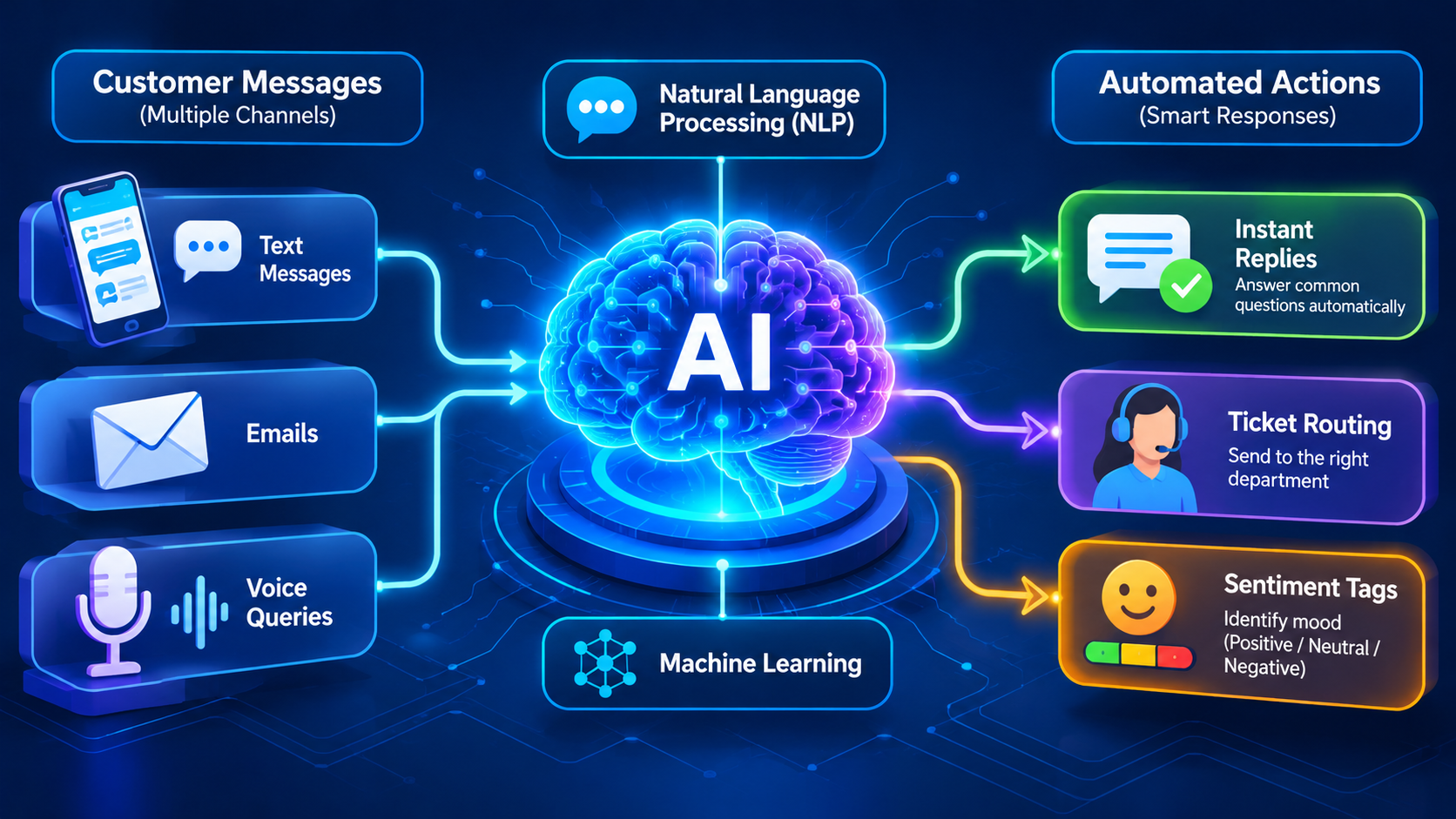
AI in customer service means using artificial intelligence to improve the way businesses communicate with and support their customers. It combines technologies such as natural language processing (NLP), machine learning (ML), generative AI, and AI agents to understand questions, find information, and help resolve problems.
For instance, a customer might ask an online store, “Can you tell me where my order is?”An AI chatbot can understand the question, check the connected order system, and provide the latest delivery information. The customer gets an instant response without having to wait for a support agent. AI in customer service also helps support teams work more efficiently behind the scenes.
It can summarize long conversations, suggest replies, identify urgent tickets, and find useful information from a company knowledge base.
The aim is not to automate every customer interaction. Good AI in customer service helps customers get answers more easily while giving human agents more time to handle complex requests.

How AI Works in Customer Service
AI in customer service relies on several technologies to understand customer questions and determine the best way to respond.
Natural Language Processing and Machine Learning
Natural language processing (NLP) helps computers understand human language. It allows AI systems to identify what customers are asking, even when they use simple, everyday words.
Machine learning helps systems identify patterns in information and improve predictions based on available data. For example, an AI support system can learn to recognize common billing questions, delivery complaints, or technical problems.
Together, NLP and ML help AI in customer service understand messages, classify tickets, and suggest relevant answers.
Generative AI and Predictive Analytics
Generative AI creates new content, including written replies, summaries, and conversational answers. A support agent can use it to prepare a response instead of writing every message from the beginning.
Predictive analytics uses historical and current data to identify possible future events. In customer service, it can help businesses identify customers who may need assistance, detect unusual account activity, or predict which support requests need urgent attention.
AI Agents and Traditional Chatbots
Traditional chatbots usually follow predefined rules or decision paths. They work well for simple questions, such as business hours or basic order information.
AI agents can handle more advanced tasks. Depending on their permissions and system integrations, they can retrieve account information, use business tools, follow multiple steps, and complete certain customer requests.
For example, a chatbot may explain a return policy. An AI agent could check whether an order qualifies for a return and start the return process. This is one reason AI in customer service is moving beyond simple question-and-answer conversations.
Key Benefits of AI in Customer Service
AI in customer service can improve both the customer experience and daily support operations. Its value depends on the quality of the system, its data, and how well it works with human employees.
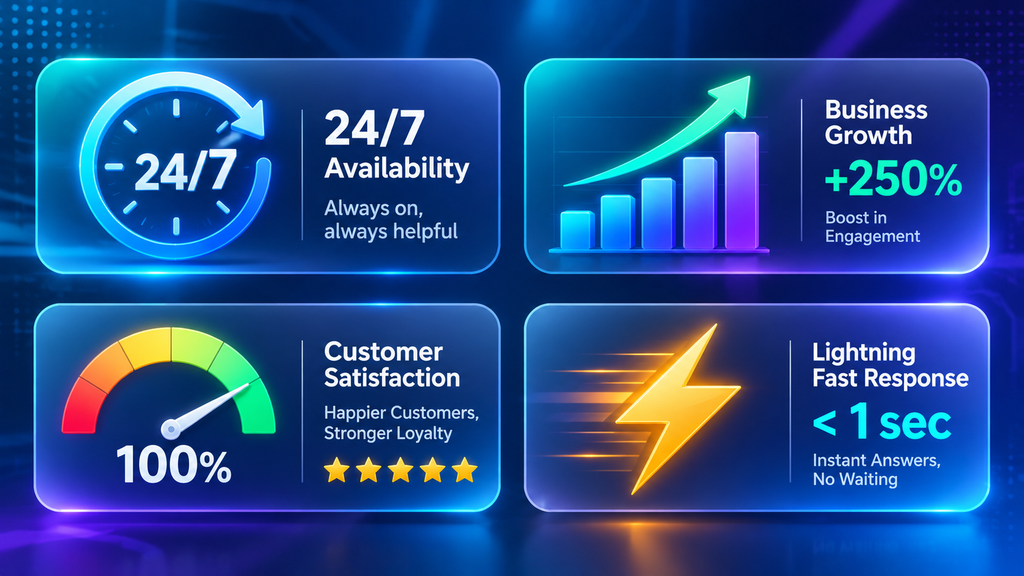
Faster Responses and 24/7 Support
AI chatbots and virtual assistants are available around the clock to respond to frequently asked customer questions. Customers do not always have to wait for business hours or an available representative.
This is useful for online stores, travel companies, banks, and businesses serving customers in different time zones. AI in customer service can provide immediate guidance for routine issues while directing more difficult requests to the right team.
Reduced Operational Costs
Customer support teams spend time answering repeated questions, sorting tickets, and preparing similar messages. Automating some of these tasks can reduce manual work.
Zendesk’s Effect Report states that 86% of customer experience leaders using AI and automation reported significant cost savings. This is a survey finding, not a guarantee that every business will achieve the same result.
AI in customer service may help businesses manage support demand more efficiently, especially when they receive a high number of routine requests.
Improved Agent Productivity
AI can support agents by summarizing customer conversations, finding relevant help articles, and suggesting possible responses.
For example, an employee taking over a long-running complaint may need to read many previous messages. AI can create a summary of the issue and previous actions, helping the employee understand the situation more quickly.
Salesforce also describes AI tools that provide agents with recommendations and step-by-step guidance based on customer information and company knowledge.
Personalized Customer Experiences
Customers expect businesses to recognize their needs and remember past interactions. AI in customer service can use customer history, preferences, and account details to provide more personalized support.
For example, an online store may recommend a product based on a customer’s previous purchases or help an agent understand which product the customer is asking about.
However, personalization must respect customer privacy. Businesses must ensure they only collect and use customer information they have permission to access and process.
Better Customer Satisfaction
Fast answers, fewer repeated questions, and smoother support can improve customer satisfaction. AI can also identify messages that show frustration and help support teams prioritize them.
IBM’s customer service research reports that mature AI adopters experienced a 17% higher customer satisfaction percentage. This is a reported comparison among mature adopters, not proof that AI alone caused the difference.
Practical Uses of AI in Customer Service
Businesses use AI in customer service for more than just website chatbots. It can help manage different steps throughout the customer support process.
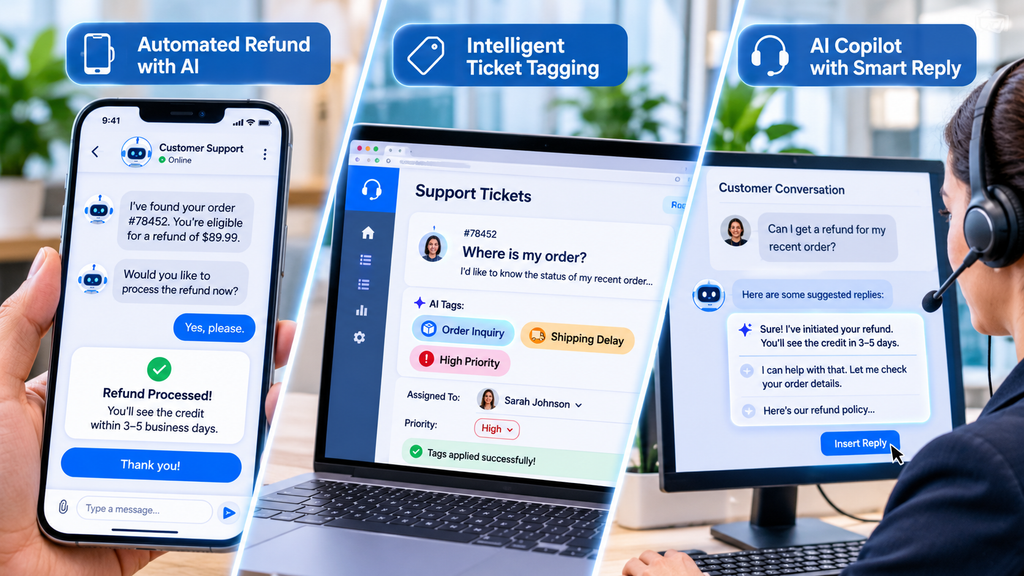
Automated Ticket Resolution and Intelligent Routing
AI can identify the topic of an incoming support request and send it to the correct department.
For example, a message about a missing payment can go to the billing team, while a login problem can reach technical support. AI can also identify urgent requests and help prioritize them.
Some AI agents can resolve routine issues independently, such as checking order status or helping customers reset account details. Businesses should set clear limits on which actions an AI system can complete without approval.
AI-Generated Responses and Ticket Summaries
Generative AI can prepare suggested replies using the customer’s message and information from approved company resources.
Agents can review and edit these responses before sending them. This can save time while keeping a human responsible for the final message.
AI can also summarize long email threads and support tickets. Zoho describes AI features that summarize customer requests, identify ticket sentiment, and help agents prepare responses.
Customer Self-Service and Knowledge Base Management
A knowledge base contains useful information such as product guides, troubleshooting steps, policies, and frequently asked questions.
AI in customer service can search this information and show customers the most relevant answers. It can also help agents find articles without searching through large collections manually.
Some systems identify common unanswered questions, helping businesses improve their knowledge base over time.
Sentiment Analysis and Customer Feedback
Sentiment analysis examines the language used in customer messages to estimate whether the tone is positive, negative, or neutral.
For example, a message containing repeated complaints or words showing frustration may be marked for urgent attention. A human agent can then review the conversation and respond appropriately.
Sentiment analysis is not perfect. It can misunderstand sarcasm, cultural expressions, or unclear messages. Businesses should use it as a support signal rather than treating it as a complete understanding of a customer’s feelings.
Predictive Support and Customer Behavior Analysis
AI can analyze customer activity and historical patterns to identify possible problems before customers contact support.
For example, a service provider may notice unusual account activity or repeated failed transactions. It can use this information to investigate the issue and contact the customer when appropriate.
Predictive support can help businesses move from reacting to complaints toward identifying problems earlier.
Voice AI and Multilingual Support
Voice AI allows customers to speak naturally with automated support systems. Instead of following long phone menus, customers may explain their issue in their own words.
AI-powered language tools can also help businesses communicate with customers who speak different languages. However, companies should test these systems carefully because accents, background noise, and language differences can affect accuracy.
Fraud Detection and Customer Segmentation
AI can examine transaction patterns and account activity to identify unusual behavior that may indicate fraud.
It can also group customers based on shared behaviors or needs. Support teams may use these insights to provide more relevant assistance.
These systems should be monitored carefully to reduce false alerts and avoid unfair decisions.
How AI Agents Work Alongside Human Support Teams
AI in customer service works best when businesses give both technology and people clear responsibilities.
AI agents can handle routine questions, collect basic information, and retrieve relevant records. Human agents can focus on situations that require judgment, empathy, negotiation, or exceptions to company policies.
For example, an AI agent may help a customer check an order’s delivery status. If the package is missing and the customer is upset, the system should make it easy to transfer the conversation to a human representative.
A good handoff should include the customer’s issue, previous messages, and actions already taken. This prevents customers from explaining the same problem again.
In my view, businesses should not measure success only by how many conversations AI can handle. They should also consider whether customers receive correct answers and can reach a person when necessary.

Popular AI Customer Service Tools and Software
Several companies offer AI-powered customer support features. The right choice depends on business size, support channels, budget, and existing software.
CoSupport AI
CoSupport AI offers AI agents for handling customer requests and AI assistants that help human support teams prepare responses. Its website describes integrations with platforms such as Zendesk, Freshdesk, Zoho Desk, Shopify, and HubSpot.
The company also publishes performance and security claims, including resolution rates and data protection measures. These are vendor-provided claims, so businesses should verify them through product demonstrations and their own testing.
Zoho Desk Zia
Zia is Zoho Desk’s AI assistant. Its features include ticket summaries, response suggestions, sentiment analysis, ticket field predictions, and knowledge base support.
It can help support teams identify common issues and find relevant information more quickly.
Salesforce Agentforce
Salesforce offers AI agents through Agentforce and AI assistance within its customer service products. These tools can use business data and company knowledge to help answer customer questions, support agents, and automate workflows.
Businesses already using Salesforce may find its integrations useful, but they should assess the features and costs required for their particular setup.
Zendesk AI
Zendesk provides AI features for customer support, including automated responses, ticket routing, agent assistance, and customer service analytics.
Zendesk also shares a customer case study about Catapult Sports. Following its use of Zendesk AI, the company reported a 50% reduction in first reply time, a 21% decrease in full resolution time, and a 1.8-point increase in average customer satisfaction. These results describe one customer implementation, not a typical outcome for every business.
Freshdesk AI
Freshdesk provides customer support software with AI-related features for ticket management and agent assistance. Businesses can explore its available automation and AI capabilities when comparing helpdesk platforms.
Before choosing any AI customer service tool, check current pricing, included features, usage limits, integrations, and data policies. Software plans can change over time.
How to Choose the Right AI Customer Service Software
Choosing software based only on the number of AI features can lead to unnecessary costs. Businesses should first understand what they want to improve.
Features and Integrations
Check whether the platform supports the tasks your team needs. These may include ticket routing, automated replies, chatbots, summaries, or voice support.
It should also work with your existing CRM, helpdesk, order system, or knowledge base.
Pricing and Implementation Costs
Compare subscription fees, per-agent charges, usage-based costs, setup expenses, and integration costs. Some providers charge according to the number of AI resolutions or conversations.
A low starting price does not always mean a low total cost.
Data Security and Privacy
AI in customer service may process names, contact details, order information, payment-related data, and private conversations.
Review the provider’s security documentation, data retention policies, access controls, and privacy terms. Make sure the system follows the laws that apply to your business and customers.
Accuracy and Customization
Test the software with real examples of customer questions. Check whether it gives correct answers, follows company policies, and uses an appropriate tone.
Also check whether you can control its responses, set limits on automated actions, and transfer uncertain cases to human agents.
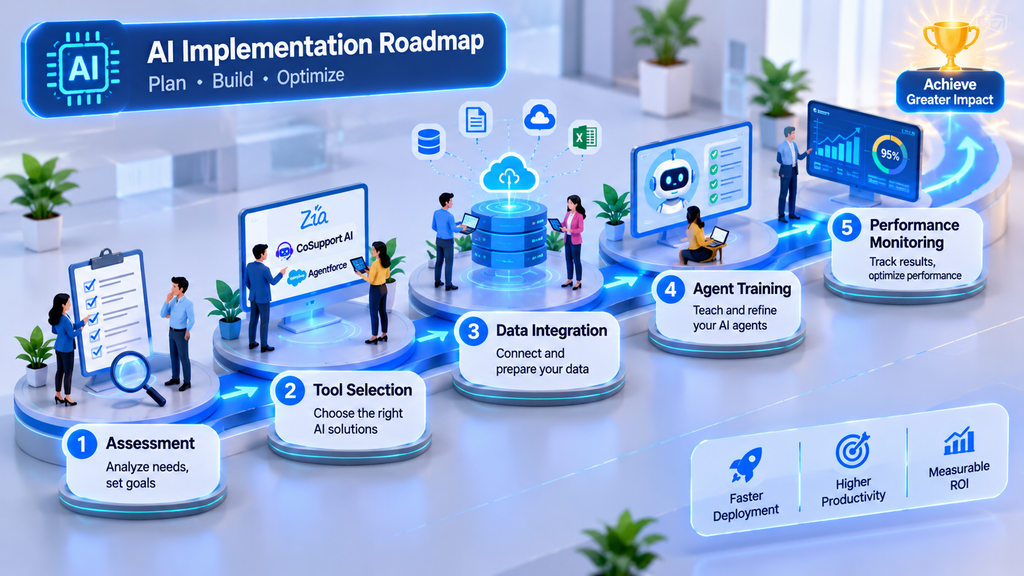
How to Implement AI in Customer Service Successfully
A careful implementation helps businesses avoid unnecessary problems and gives teams time to understand the new system.
Identify Customer Support Problems and Goals
Start by finding the tasks that take the most time. These may include answering repeated questions, checking order details, or sorting support tickets.
Set clear goals, such as reducing first response time or improving the speed of ticket assignment.
Prepare Reliable Knowledge Bases and Customer Data
AI needs accurate information to provide useful answers. Review your help articles, product details, policies, and frequently asked questions before connecting them to an AI system.
Outdated or incomplete information can lead to incorrect responses.
Start With a Small AI Pilot
Do not automate every customer interaction immediately. Start with one low-risk task, such as answering common questions about delivery or business hours.
Test the system with real support scenarios and compare its performance with your existing process.
Monitor Performance and Improve Responses
Review AI conversations regularly. Look for incorrect answers, repeated customer questions, failed resolutions, and unnecessary transfers.
Use customer feedback and agent suggestions to improve the system.
Train Employees and Maintain Human Oversight
Employees should understand what the AI system can and cannot do. They should also know how to correct its suggestions and take over conversations.
For sensitive matters such as disputed payments, complaints, cancellations, or personal information, businesses should maintain suitable human review.
Challenges and Limitations of AI in Customer Service
Although AI in customer service offers useful features, it also creates challenges that businesses must manage.
Inaccurate Responses and AI Hallucinations
Generative AI can produce answers that sound correct but contain false information. This may happen when the system lacks reliable data or misunderstands a question.
Businesses should connect AI to verified knowledge sources, test its responses, and provide clear escalation options.
Customer Data Privacy and Security Risks
AI systems may handle sensitive customer information. Weak access controls or poor data practices can expose that information.
Companies should review vendor security, limit access to necessary data, and explain how customer information is used.
Implementation Costs and Technical Requirements
Some platforms require setup, integrations, employee training, and ongoing maintenance. Smaller businesses may not have the budget or technical skills for a complex system.
A focused pilot can help a company understand the cost and value before making a larger investment.
Employee Skills and Adoption
Employees may feel uncertain about new technology or worry that AI will replace their jobs.
Businesses should explain how AI in customer service will support their work and provide training. Human skills such as communication, problem-solving, and empathy remain important.
Lack of Human Empathy
AI can recognize certain emotional signals, but it does not understand human experiences in the same way people do.
A customer dealing with a serious complaint may need patience and personal attention. Businesses should make human support easy to reach instead of forcing customers through repeated automated replies.

How to Measure AI Customer Service Performance
Businesses should measure whether AI in customer service is actually improving the customer experience.
Important metrics include:
- First response time: How long customers wait for the first reply.
- Resolution time: How long it takes to solve a support issue.
- AI resolution rate: The percentage of requests resolved by AI without human assistance.
- Customer satisfaction score (CSAT): How customers rate their support experience.
- Escalation rate: How often AI conversations need human support.
- Agent productivity: Whether employees can resolve more issues or spend less time on repetitive tasks.
- Support cost: Whether the cost of handling customer requests decreases.
Do not focus on automation rates alone. A system that closes many tickets but gives poor answers is not delivering good customer service.
Compare AI-resolved cases with human-resolved cases. This helps businesses understand where AI performs well and where people still provide better results.
The Future of AI in Customer Service
AI in customer service is moving toward more capable systems that can understand context, use business tools, and complete tasks across different platforms.
Multi-agent systems may allow specialized AI agents to work together. One agent could identify a customer’s issue, another could retrieve account information, and a third could prepare a response or complete an approved action.
Predictive support is also likely to become more important. Businesses may use customer activity and service data to identify potential problems before customers submit complaints.
Voice and multimodal AI could make support more flexible by allowing customers to use text, speech, images, and documents in one interaction.
However, the future of AI in customer service should not be measured only by how much work technology can automate. Trust, privacy, accuracy, and human support will remain important.
Conclusion
AI in customer service helps businesses manage repetitive requests, respond faster, organize support tickets, and give employees useful information. From chatbots and AI agents to sentiment analysis and predictive support, these tools can improve different parts of the customer experience.
However, successful adoption requires more than choosing an AI platform. Businesses need reliable data, clear goals, strong privacy practices, regular testing, and trained employees.
My recommendation is to begin with one simple support task and measure the results before expanding automation. Let AI handle work that follows clear rules, while human agents remain available for sensitive or complicated situations.
The strongest approach to AI in customer service is a partnership between people and technology. AI can provide speed and consistency, while human employees bring empathy, judgment, and personal understanding.
Frequently Asked Questions About AI in Customer Service
1. What Are the Most Common Uses of AI in Customer Service?
The most common uses include chatbots, automated ticket routing, suggested replies, ticket summaries, sentiment analysis, knowledge base search, voice assistants, and predictive support. AI in customer service can also help agents find information and identify urgent customer requests.
2. Can AI Completely Replace Human Customer Service Agents?
No. AI can handle many routine requests, but human agents are still important for complicated problems, emotional conversations, unusual situations, and decisions that require judgment. AI in customer service is most useful when it supports employees rather than removing human assistance.
3. What Is the Best AI Tool for Customer Service?
There is no single best tool for every business. Zendesk AI, Zoho Desk Zia, Salesforce Agentforce, Freshdesk, and CoSupport AI offer different features and integrations. Compare their pricing, accuracy, security, support channels, and compatibility with your existing systems before choosing one.

AI now writes emails, flags fraud, and helps doctors read scans. One study estimated it could add $15.7 trillion to the global economy by 2030. Those numbers explain why the advantages of AI get so much attention. But training a single model like GPT-3 also used about 1,287 megawatt-hours of electricity, roughly what 120 US homes use in a year. The full picture matters.
I’m a computer science student who uses ChatGPT, Claude, DeepSeek, and Gemini for research and learning. I’m not an AI engineer, and I did not run lab tests for this guide. Instead, I read and compared seven articles from software companies, a university, and tech education sites, and I kept the points they agreed on. Below, you’ll find the biggest advantages of AI, the risks that come with it, and a simple checklist for using AI safely.
What Is Artificial Intelligence?
Artificial intelligence is a branch of computer science focused on building machines that can copy parts of human thinking. It runs on two main ingredients: data and algorithms. Developers feed large amounts of data into an algorithm, and the system learns to spot patterns, make predictions, and solve problems without someone writing new code for every task.
AI has several parts. Machine learning finds patterns in data. Natural language processing lets a system read and write human language. Computer vision helps it understand images, and robotics lets it act in the physical world. Many popular tools, such as chatbots, use large language models, which combine machine learning with language processing.
Each type of AI carries different risks. Rule-based AI is predictable but rigid, so it struggles with anything new. Classic machine learning learns from past data, but it can drift and pick up bias over time. Deep learning handles complex patterns at scale, but it needs huge datasets and a lot of computing power. Generative AI is flexible and creative, but it can state wrong answers with total confidence. Most tools today are also “narrow” AI, which means they do one kind of job well. A system that can do any task a human can, often called general AI, does not exist yet.
By 2026, most large companies have moved past small experiments and use AI in daily work. The question has shifted from “should we use it?” to “how do we manage it well?” Knowing the basics makes the advantages of AI easier to see, and it makes the limits easier to spot too.

Key Advantages of AI
The advantages of AI show up in almost every article I reviewed, and they fall into a few clear groups. Each benefit also comes with a condition: AI works best when the data is good, and a person keeps watch. I point out that condition in each section below.
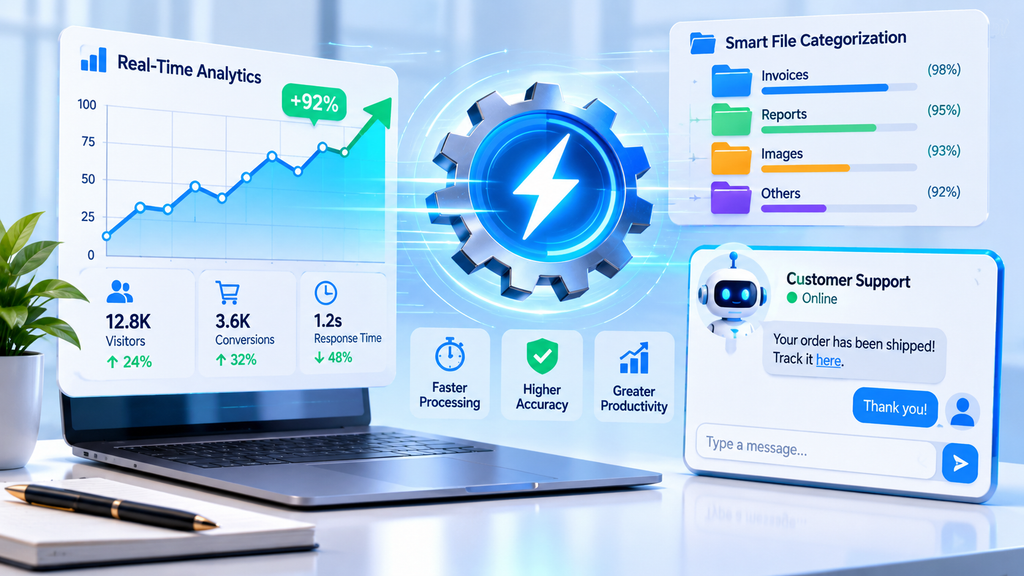
Automation and Productivity Gains
AI takes over the repetitive jobs that eat up a workday. Data entry, appointment reminders, invoice processing, report writing, and transcription are good examples. A machine does not get tired or distracted, so it handles these tasks the same way at 9 a.m. and at 9 p.m. That consistency cuts down on human mistakes, which is a big reason companies like it. For many teams, this is the first of the advantages of AI they notice.
The time savings can be large. One report found that teams using AI-assisted analytics cut the time they spend on data preparation and analysis by 40 to 60 percent in many cases. Results vary a lot with how clean a company’s data is. A support team, for example, can let AI sort tickets by urgency and draft a reply, and then a person checks the reply before it goes out. That setup keeps both the speed and the quality.
I think automation is also the most overrated of all the advantages of AI. People often assume AI can run a whole workflow alone, but the sources agree that automated systems need upkeep. Prompts drift, templates go stale, and business rules change. If you set up an AI workflow and never look at it again, its results can quietly get worse. A regular review is a smart habit.
Faster, Data-Driven Decision-Making
Businesses create more data than any person can read. Websites, apps, sensors, and sales records all add to the pile. AI can scan that pile in seconds and point out trends that would take a team weeks to find. A store can see which products are rising in which regions, and a bank can catch odd spending patterns before they turn into losses. This speed with data is one of the advantages of AI that business leaders mention most.
AI also helps with looking ahead. Normal reports tell you what happened last quarter. Predictive models estimate what is likely to happen next quarter, which helps teams plan inventory, staffing, and budgets earlier. Why does this matter so much? Because acting early usually costs less than reacting late.
The catch is data quality. AI amplifies whatever it finds in your data, good or bad. If your records are incomplete or out of date, the predictions will be too.
Personalization and Better Customer Experiences
AI learns from what people watch, click, and buy, and then it suggests things they are more likely to want. That is how streaming apps recommend a show and online stores suggest the right product. Done well, customers feel understood, and businesses see more engagement and more sales. Personalization is one of the advantages of AI that customers feel directly, even if they never think about the technology behind it.
Customer service has changed similarly. A customer used to wait for an email reply or sit on hold. Now an AI chatbot can answer common questions right away by pulling from a company’s help pages and account data. When a question gets too complicated, a good system passes the customer to a human agent.
This benefit comes with a privacy cost, which I cover later. The sources suggest telling customers clearly what data you use and giving them a way to opt out.
Round-the-Clock Availability and Scalability
Humans work roughly eight hours a day, and AI does not need sleep. Chatbots and AI agents can handle questions at night, on weekends, and on holidays, across email, chat, social media, and phone. A customer in a different time zone gets help right away instead of waiting until morning. Round-the-clock service is among the most practical advantages of AI for growing companies.
It also makes growth easier. If your case volume doubles during the holiday season, AI agents can take on the extra load without a large temporary team. Once the busy season ends, you can scale back down.
Still, availability does not mean independence. Hard or sensitive cases need a person, so you need clear paths for handing a conversation to a human.
Safer Work in Hazardous Environments
Some jobs put people in danger, and AI can step in. Robots already work in places with high radiation, deep mines, offshore oil rigs, and disaster zones. If a robot breaks, a company can rebuild it. A human worker cannot be replaced that way. Safety is one of the advantages of AI that can protect lives, not just save money.
Safety benefits reach beyond extreme settings. Predictive maintenance systems spot signs that a machine is about to fail, which can prevent accidents before they happen. Hospitals use AI to watch patients’ vital signs. AI can even screen video for harmful content, which spares human reviewers from seeing the worst of it every day.
Innovation and Easier Learning
AI speeds up research. Scientists can use it to sift through huge datasets and find patterns that point to new treatments or technologies. In healthcare, it can help spot diseases earlier in medical images and support triage decisions. In farming, it can predict the weather and suggest when to water crops. In transportation, it helps with route planning, traffic analysis, and self-driving technology. In cybersecurity, it can detect an attack in progress and help stop it.
AI can also learn on its own in some cases. Google’s AlphaGo taught itself the game of Go and, within days, came up with strategies that human players had not tried before. That kind of learning is still rare and costly, but it shows what is possible.
From my own use, the most underrated of the advantages of AI is much simpler: it makes hard information easier to understand. When I use ChatGPT, Claude, or Gemini to break down a technical concept, I can ask follow-up questions until it makes sense. That helps people learn new topics and become more productive even without advanced technical knowledge. It rarely makes headlines, but it may touch more people than any robot or self-driving car.
Innovation also supports jobs. Some research points to AI opening up new roles in fields from finance to tech, and that is part of how the big economic projections add up.
Disadvantages That Balance the Advantages of AI
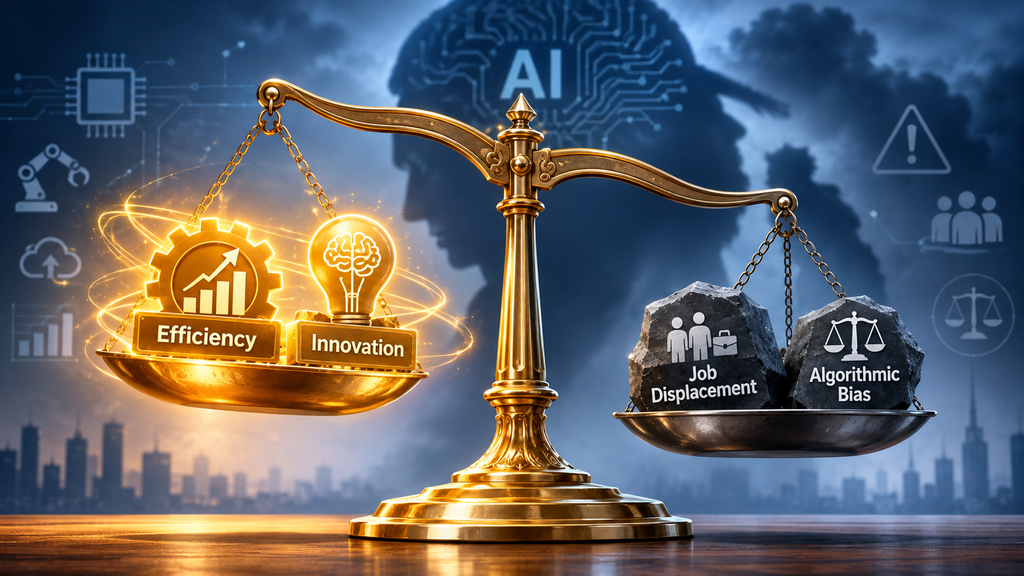
None of the articles I read claimed AI is free of problems, and I would not trust one that did. Every efficiency gain comes with a tradeoff in fairness, safety, cost, or trust. Knowing these risks does not mean you should avoid AI. It means you can plan for them and keep the advantages of AI working for you.
Job Displacement and Changing Skills
AI can automate tasks that many people do today, especially routine ones like data entry, basic reports, scheduling, and simple customer triage. One analysis expects the fastest change through 2028 in administrative work and routine analysis. The impact depends more on the task than the job title. Roles built on trust and judgment, such as therapy, skilled trades, and medical sign-off, look more resilient. For managers, the sources suggest redesigning roles instead of cutting them, and starting reskilling before jobs change. As a student about to enter the job market, I find that encouraging. Learning to work with AI looks smarter than competing against it.
Algorithmic Bias
AI learns from past data, and past data often reflects past unfairness. A hiring tool trained on ten years of resumes from a male-dominated industry may learn to rank women’s resumes lower. A credit model that uses zip code as a shortcut can repeat patterns of segregation. People also tend to assume a computer decision is neutral, which lets unfair results go unnoticed. One common check is the disparate impact ratio, which compares outcomes across groups. A ratio below 0.8 usually draws regulatory attention. Audits should continue after launch, since bias can appear later as data changes.
Privacy and Security Risks
AI systems are hungry for data. Some vendors keep the prompts people type and may use them to improve their models, so a private-feeling chat may not be private at all. Security threats also differ from normal software. In a prompt injection attack, someone writes an input that tricks the AI into ignoring its rules. A few habits help: give AI tools the least access they need, never paste confidential information into unapproved tools, and ask vendors whether they log prompts, how long they keep them, and whether they train on your data. “What happens to the data I share?” is one of the first questions I ask about any new tool.
Hallucinations and Wrong Answers
Generative AI sometimes makes things up, and these errors arrive in the same confident tone as correct answers. One article claimed this happens close to 30% of the time, though the rate depends heavily on the tool and the task. These systems predict the next likely word from patterns instead of checking facts. For casual use, that is annoying. For healthcare, law, or finance, it can be harmful. Specific prompts help, and so does telling the AI to say “I don’t know.” Retrieval-augmented generation, or RAG, feeds the AI trusted documents so it answers from real sources. Most importantly, a person should check anything important.
Cost and Environmental Impact
One estimate puts a fully built AI solution at $20,000 to well into the millions. Companies also pay for data preparation, staff training, security, and fixes after launch. Using an existing model with prompts grounded in your own data is the cheaper path, and starting with one narrow use case lets you test the value first. On the environment, training GPT-3 took an estimated 1,287 megawatt-hours, and a 2024 study estimated that training a frontier model can release over 500 metric tons of carbon dioxide. Running a model every day can eventually use more energy than training it. Smaller, task-specific models and cloud providers with renewable energy commitments help.
Lack of Transparency and Human Judgment
Modern AI can be a “black box.” A model may deny a loan or flag a transaction, and even its creators may struggle to explain why. In industries where the law requires an explanation, that is a serious problem. AI also lacks empathy. One study found an AI more often assigned negative emotions to people who were not white. For sensitive conversations, such as giving bad news to a customer, a person usually does better. That is why I always ask whether a task would be better handled by a human before I hand it to AI. Relying on AI too much has a quiet risk too, because people can lose their grip on how a process works.
Advantages of AI Across Industries
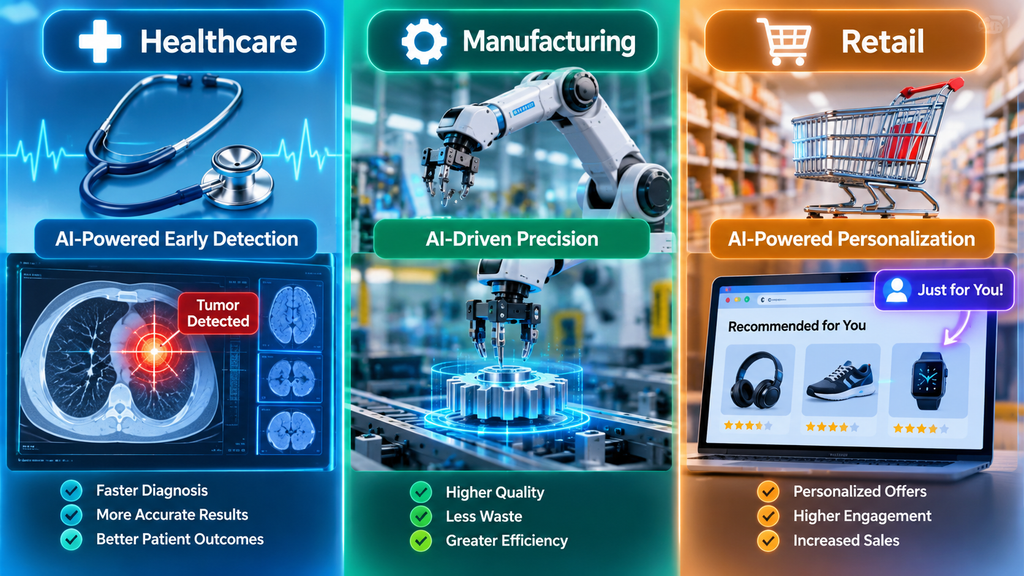
AI looks different in every industry, and so do the risks. In healthcare, it supports diagnosis and treatment planning, which can mean earlier detection and less workload for doctors. The risks are misdiagnosis and exposed patient data, so a physician should review every diagnosis. In financial services, AI detects fraud in real time and applies consistent standards to credit decisions, but it can also bring bias into lending and flag honest customers by mistake. Regular bias audits and human review of appeals help.
Retail uses AI for demand forecasting and personalization, which cuts wasted inventory and improves the shopping experience. The tradeoff is tracking customer behavior, so clear data practices and opt-outs matter. Manufacturing uses it for quality control and predictive maintenance, which means fewer defects and less unplanned downtime. Because sensors can miss edge cases, human inspection samples are a smart addition.
Do you notice the pattern? In every industry, the benefit is speed and scale, and the safeguard is a human who stays involved.
How to Get the Most From the Advantages of AI
Using AI responsibly does not mean avoiding it. Organizations that pair AI with clean data and human review get more reliable results than those that deploy it on unchecked data. Based on the articles I compared, five practices come up again and again.
Start with data governance. Decide who owns the data, how good it needs to be, and who can access it. Keep humans in the loop for high-stakes choices, because AI should speed up human judgment, not replace it when health, money, jobs, safety, or legal rights are on the line. Begin with a small, clear use case where you can measure success and where a mistake will not cause serious harm. Monitor performance continuously, since AI gets worse as data patterns change, and keep records of what the AI recommended and what a person decided. Finally, train your team so they know when to trust AI and when to double-check.
For everyday users and small teams, I use a shorter checklist before I adopt any new tool. Does it solve a real problem? Is it easy to use? Are its results accurate? How much does it cost? What happens to the data I share with it? Would a human handle this task better? If any answer raises a doubt, I slow down. Larger organizations can add questions from the sources: Is the data governed and current? Does someone own the outputs? Can you explain why the AI made a recommendation?

When to Skip AI Entirely
Even the best advantages of AI do not apply everywhere. If your data is incomplete or messy, AI will magnify those flaws, and standard reporting or simple rule-based automation will serve you better until your data improves. If mistakes would be severe and hard to catch, a person or a predictable system is a safer choice than a tool that works on probabilities.
Skip it, too, when no one is accountable. If nobody owns the AI’s outputs or has the power to override them, you have a gap that needs fixing first. The same goes for regulated settings where you cannot explain or audit the AI’s decisions. Waiting a few months to do it right is almost always cheaper than rushing and cleaning up later.
The Future of AI in Business
Three trends stand out in the sources. First, agentic AI is moving from idea to reality. Instead of answering one prompt at a time, AI agents now coordinate multi-step tasks, make small decisions, and hand off to humans when they reach the limits of their authority. That turns AI from a tool you ask into a helper that works inside rules you set.
Second, strong governance is becoming a real advantage. Companies that built good data practices and audit trails early now launch AI faster and with fewer problems than those still catching up. The gap between governed and ungoverned AI keeps growing.
Third, the roles of people and machines are settling down. AI handles volume and pattern spotting, and humans handle judgment, exceptions, and accountability. Teams that design their work around that split see steadier results, and they get more out of the advantages of AI over time. Rules and ethics will keep evolving too, so companies should expect more questions from regulators and customers about how their AI works.
Conclusion: Making the Most of the Advantages of AI
The advantages of AI are real. It can save time, find patterns, make learning easier, and support better decisions. It can also make mistakes, repeat bias, and create privacy and security problems when nobody checks it. The tool itself is not the deciding factor. How you use it, what you measure, and how much human oversight you keep make the difference.
If you take one thing from this guide, I hope it is this: start small, keep your data clean, and keep a person in charge of the important calls. That approach lets you gain the benefits while keeping the risks in check.
Frequently Asked Questions
What are the main advantages of AI?
The main advantages of AI are automation, faster decisions, personalization, and 24/7 availability. AI handles repetitive tasks without getting tired, scans large amounts of data in seconds, and suggests products or answers that fit each person. It can also do dangerous jobs, like working in high-radiation areas, so humans do not have to.
What are the biggest disadvantages of AI?
The biggest disadvantages of AI are bias, privacy risks, wrong answers, high costs, and job changes. AI learns from past data, so it can repeat old unfairness. It can also make things up, called hallucinations, and some vendors store the data you share. A person should always check important results.
What are some examples of AI in daily life?
You probably use AI every day without noticing. Common examples include email spam filters, voice assistants, shopping and streaming recommendations, navigation apps, fraud alerts from your bank, and chatbots. Tools like ChatGPT, Claude, and Gemini also help people research, write, and understand hard topics in simple words.
-

 AI in Digital Marketing1 month ago
AI in Digital Marketing: Practical Uses, Benefits, and Strategies
-

 AI Applications4 weeks ago
AI Content Optimization: What It Is and Why It Matters
-

 AI Technologies4 weeks ago
AI in App Development: How to Build the Best Apps From Idea to Production
-

 AI Technologies1 month ago
AI in Web Development: A Practical Guide to Coding, Powerful Tools, and Real-World Experience
-

 AI Applications3 weeks ago
AI in Gaming: Uses, Benefits, Examples, and Future Trends
-
 AI in Agriculture1 month ago
AI in Agriculture: Uses, Benefits, Challenges, and Future Trends
-

 AI Applications3 weeks ago
AI Personalization: Smarter Marketing That Converts
-

 AI Technologies4 weeks ago
AI in Cybersecurity: Uses, Benefits, Risks, and Future Trends