
AI Applications
AI in Logistics: Uses, Benefits, Examples, and Future Trends


Logistics is about much more than moving a package from one place to another. Behind every delivery are decisions about routes, inventory, warehouses, vehicles, timing, costs, and customer expectations. When one part of this system fails, the effects can quickly spread. A delayed truck can affect a warehouse, which can delay an order and leave a customer waiting.
This is where AI in logistics is becoming increasingly useful. Artificial intelligence can study large amounts of data, identify patterns, make predictions, and help businesses make faster decisions. It can help companies optimize delivery routes, forecast demand, manage inventory, automate warehouses, detect problems, and improve customer service.
After researching different applications of AI in logistics, I believe its biggest opportunity is simple: making logistics faster, cheaper, and more efficient. At the same time, AI should not be treated as a perfect decision-maker. Data security and incorrect AI decisions can create delays, financial losses, and system problems. Since logistics depends heavily on accurate data and timely decisions, human oversight still matters.
In this guide, I will explain how AI is used in logistics, its major benefits, real-world examples, challenges, implementation steps, and future possibilities.
What Is AI in Logistics?
AI in logistics means using artificial intelligence technologies to improve the way goods are planned, stored, transported, tracked, and delivered. These technologies can include machine learning, predictive analytics, computer vision, natural language processing, generative AI, and AI-powered automation.
Traditional automation normally follows fixed instructions. For example, a system may be programmed to reorder a product whenever its stock falls below a specific number. AI can take a broader approach by studying previous orders, seasonal changes, customer demand, supplier lead times, and other available information.
AI in logistics can then use those patterns to support better decisions.
For example, instead of simply asking, “Is inventory below the reorder level?”, an AI system can estimate future demand and help determine how much stock may be needed.
The same idea applies to transportation. A route does not remain perfect throughout the day. Traffic, weather, road restrictions, delivery windows, and unexpected delays can change conditions. AI can analyze these factors and help logistics teams adjust their plans.
Modern logistics also combines different approaches. Traditional AI, generative AI, and operations research can work together rather than replacing one another. Traditional AI can handle specific prediction or classification tasks, generative AI can summarize and create information, while operations research can solve complex planning and optimization problems.

How AI Is Transforming Logistics and Supply Chains
The logistics industry produces huge amounts of data. Orders, GPS information, inventory records, warehouse activity, delivery times, vehicle information, customer requests, and supplier information can all contribute to better decisions.
The challenge is not simply having data. The data must be accurate, readily available, and properly integrated with the system that uses it.
AI in logistics helps turn this information into useful predictions and actions. A company can use historical demand to prepare inventory, shipment information to estimate delivery times, and traffic information to improve routes.
Warehouse operations can also benefit. AI can help decide where products should be stored, which orders should be processed first, and how workers or robots should move through a facility.
This creates a more connected supply chain. Instead of waiting for a problem to happen and then reacting to it, companies can identify possible problems earlier.
Key Uses of AI in Logistics
Demand Forecasting and Supply Planning
Demand forecasting is one of the most important applications of AI in logistics. Businesses need to know what customers are likely to buy so they can prepare the right amount of inventory.
AI can analyze historical sales, seasonal patterns, promotions, regional demand, and other available information. The resulting forecast can help businesses prepare inventory and transportation capacity before demand increases.
Better forecasting can reduce two common problems: having too much stock or running out of products.
AI can also support supply planning by helping businesses adjust safety stock, reorder points, production schedules, and resource planning.
This is particularly helpful when demand changes rapidly. A fixed plan may become outdated, but an AI-supported system can use new information to update its predictions.
Warehouse Automation and Robotics
Warehouses contain many repetitive activities, including picking, packing, sorting, moving goods, and checking inventory.
AI in logistics can make these operations more efficient by working with robots, computer vision, warehouse management systems, and automated storage systems.
Robots can move products around a warehouse while AI helps decide which tasks should be completed and in what order. Computer vision can help systems identify products and detect damage or errors.
AI can also help with warehouse slotting. Fast-moving products can be placed in locations that make them easier and faster to pick.
This does not mean every warehouse needs a large fleet of robots. A business can begin with one specific problem, such as inventory tracking or picking efficiency, and expand later.
Route Optimization and Vehicle Routing
Route planning can become complicated when a company has many vehicles, customers, delivery windows, and changing road conditions.
AI in logistics can analyze traffic, weather, vehicle capacity, delivery locations, and other information to help identify better routes.
The goal is not always to find the shortest route. A slightly longer route may be better if it avoids heavy traffic or makes it possible to complete more deliveries on time.
MIT research highlighted vehicle routing as an important area where AI, generative AI, and operations research can work together. One example discussed by MIT involves Uber Freight, which uses machine learning in transportation and routing.
Better routing can reduce unnecessary travel, fuel use, delivery delays, and empty vehicle miles.
Dynamic Pricing and Freight Management
Freight prices can change because of supply, demand, capacity, fuel costs, routes, and market conditions.
AI can analyze large numbers of variables to support freight pricing and carrier decisions. Machine learning can identify patterns that may be difficult for a person to process manually.
For logistics companies, this can help them make faster pricing decisions and better match available transportation capacity with shipping needs.
AI cannot replace human judgment. Instead, it can provide information that helps managers make decisions faster.
Predictive Maintenance
Vehicle and warehouse equipment failures can be expensive. A broken truck, forklift, conveyor, or sorting machine can interrupt operations and cause delays.
AI in logistics can support predictive maintenance by studying sensor data and identifying unusual patterns.
Instead of waiting for equipment to fail, a company may receive a warning that maintenance could be needed.
This can help businesses plan maintenance during suitable periods rather than dealing with unexpected breakdowns.
Inventory Management
Inventory management is another area where AI can provide practical value.
AI can examine sales history, demand patterns, stock levels, supplier information, and lead times to help determine when products should be reordered.
It can also detect unusual inventory movements or patterns that may indicate a problem.
Good inventory management is important because excess inventory ties up money, while insufficient inventory can cause stockouts and delayed orders.
Document and Back-Office Automation
Logistics involves large amounts of paperwork and digital documents, including invoices, delivery notes, shipping documents, and other records.
AI-powered document processing can extract information from these documents and reduce the amount of manual data entry.
Generative AI and natural language processing can also help summarize information, answer questions, and organize unstructured data.
This can save employees time and allow them to focus on tasks that require human judgment.
Customer Service and AI Assistants
Customers often want to know simple things such as:
“Where is my order?”
“When will it arrive?”
“Why has my delivery been delayed?”
AI-powered chatbots and assistants can answer many routine questions using shipment and tracking information.
This can provide customers with faster responses while reducing the workload for customer service teams.
However, companies should be careful when AI provides delivery information. Incorrect information can reduce customer trust. Important exceptions should still be reviewed by people when necessary.
Computer Vision and Damage Detection
Computer vision allows AI systems to analyze images and video.
In logistics, this can be used to identify damaged packages, inspect products, monitor warehouse activities, and support quality checks.
For example, cameras can examine packages as they move through a facility and identify visible damage.
This can help companies detect problems earlier instead of discovering them only after a customer receives a damaged product.

Autonomous Vehicles and Drones
Autonomous vehicles and drones represent another developing area of AI in logistics.
AI can help autonomous systems understand their surroundings, navigate routes, and respond to changing conditions.
Drones can also support specialized delivery tasks. AIMultiple’s research, for example, highlights drone applications involving delivery and transportation.
These technologies still require careful testing, safety controls, regulation, and human oversight. They should not be viewed as a simple replacement for every human worker or driver.
Benefits of AI in Logistics
Improved Efficiency and Productivity
AI can automate repetitive work and help employees process information faster.
Warehouse workers can receive better task assignments, dispatchers can receive route recommendations, and planners can use demand forecasts instead of relying only on manual calculations.
The result can be a more organized operation.
Lower Costs and Fuel Consumption
AI can help reduce unnecessary transportation, excess inventory, equipment downtime, and inefficient warehouse activity.
Route optimization can reduce unnecessary miles, while better forecasting can reduce overstock and shortages.
Even small improvements can become significant when a company manages thousands of deliveries.
Better Decision-Making
One of the strongest benefits of AI in logistics is its ability to analyze large amounts of information quickly.
Managers can use these insights to understand demand, identify risks, compare options, and respond to changes.
AI does not need to make every final decision. It can act as a decision-support tool that gives people better information.
Improved Customer Experience
Customers want accurate tracking, reliable delivery times, and quick answers.
AI can support real-time tracking, estimated delivery information, automated customer support, and proactive alerts.
Better visibility can improve trust because customers are less likely to feel that their order has disappeared into the system.
Risk Reduction and Supply Chain Resilience
Supply chains can face many disruptions, including traffic problems, equipment failures, demand changes, weather events, and other unexpected conditions.
AI can identify patterns that may indicate a potential problem.
Earlier detection gives logistics teams more time to respond.
Greater Sustainability
More efficient routes can reduce unnecessary travel and fuel consumption. Better inventory planning can also reduce waste caused by excess stock.
AI therefore has the potential to support both business efficiency and sustainability, although companies should still consider the energy and infrastructure required to operate AI systems.

Real-World Examples of AI in Logistics
Uber Freight and Intelligent Routing
MIT’s research describes how Uber Freight uses machine learning in areas such as carrier pricing and routing.
One interesting point is the problem of empty truck miles. When trucks travel without carrying useful freight, companies lose fuel, time, and capacity.
AI-supported routing and freight matching can help reduce this inefficiency.
MIT also describes research combining traditional AI, generative AI, and operations research to address complex routing problems.
AI-Powered Warehouse Operations
Warehouse companies are increasingly combining AI with robotics and automation.
AI can help coordinate robots, manage picking tasks, improve inventory placement, and identify warehouse problems.
AIMultiple also describes examples of AI-supported warehouse robotics and fleet coordination, showing how AI can move beyond a single robot and help coordinate larger operations.
Machine Learning for Freight Pricing
Freight pricing is another area where machine learning can process many variables.
Uber Freight’s example shows how machine learning can support algorithmic carrier pricing using numerous parameters.
This demonstrates an important point: AI in logistics is not limited to physical robots. Much of its value comes from analyzing information and supporting better decisions.

Challenges of Using AI in Logistics
Data Quality and Integration
AI needs reliable data.
If inventory information is incorrect, shipment records are incomplete, or systems are disconnected, AI may produce poor recommendations.
This is why businesses should not assume that buying an AI tool automatically solves their logistics problems.
The data foundation matters.
Cybersecurity and Privacy
Data security is one of my biggest concerns about AI in logistics.
Logistics systems can contain valuable information about customers, shipments, vehicles, suppliers, warehouses, and business operations. A security problem could affect more than one department.
Companies should control access, protect sensitive information, monitor systems, and establish clear security policies.
Implementation Costs and Complexity
AI implementation can require software, data preparation, system integration, training, and ongoing monitoring.
For a small company, trying to transform the entire logistics operation at once may be expensive and difficult.
A smaller starting point is usually more practical.
Human Oversight and AI Reliability
AI can make mistakes.
An incorrect prediction can lead to poor inventory decisions. A wrong route recommendation can cause delays. An incorrect automated message can confuse customers.
My view is that businesses should not hand every important logistics decision to AI without supervision.

AI should support people, especially when a decision could cause major financial, safety, or customer consequences.
How Businesses Can Implement AI in Logistics
Businesses do not need to begin with a huge AI transformation.
I recommend starting with one clear problem.
First, identify the problem you want to solve. It could be high delivery costs, poor inventory forecasting, manual document processing, or inefficient warehouse picking.
Second, collect and check the relevant data. Make sure the information is accurate enough for the task.
Third, choose an AI solution that matches the problem. Do not use AI simply because it is popular.
Fourth, test the solution on a small scale. A pilot can show whether the system actually improves the chosen process.
Fifth, measure the results. Compare useful indicators such as delivery time, fuel use, inventory accuracy, processing time, errors, or customer response time.
Finally, expand the system only after the pilot shows clear value.
This approach reduces risk and gives employees time to understand how the technology works.

The Future of AI in Logistics
The future of AI in logistics will likely involve more connected systems rather than isolated AI tools.
AI agents may increasingly help with multi-step tasks such as monitoring shipments, identifying problems, suggesting solutions, and triggering approved actions.
Generative AI can make logistics systems easier to interact with because employees may be able to ask questions using normal language instead of navigating complicated screens.
Predictive systems will also become more useful as businesses collect better real-time information.
However, I do not believe the future should be about removing humans from logistics completely. The stronger model is human and AI collaboration.
AI can process information quickly and identify patterns. People can provide judgment, context, responsibility, and oversight.
The businesses that benefit most may not be the ones that use the most AI. They may be the ones that use AI for the right problems and manage its risks carefully.
Frequently Asked Questions About AI in Logistics
How is AI used in logistics?
AI is used for demand forecasting, route optimization, inventory management, warehouse automation, predictive maintenance, document processing, customer service, damage detection, freight pricing, and delivery tracking. It helps logistics companies analyze data and make faster, more informed decisions.
What are the main benefits of AI in logistics?
The main benefits include improved efficiency, lower operating costs, better route planning, improved inventory control, faster decision-making, fewer repetitive tasks, better customer service, and improved supply chain visibility.
Can AI reduce logistics and transportation costs?
Yes. AI can help reduce costs by improving delivery routes, reducing unnecessary travel, supporting better inventory planning, predicting equipment problems, and helping companies use transportation capacity more efficiently. The actual savings depend on the company’s data, processes, scale, and implementation.
Is AI in logistics safe and reliable?
AI can be useful, but it is not perfect. Poor data, incorrect predictions, system errors, cybersecurity problems, and integration issues can create risks. Businesses should test AI carefully and maintain human oversight for important decisions.
How should a small business start using AI in logistics?
Start with one specific problem. Collect the necessary data, choose an appropriate AI solution, run a small pilot, measure the results, and improve the system before expanding it. This approach is less risky than trying to automate the entire logistics operation at once.
Will AI replace logistics workers?
AI will automate some repetitive tasks, but logistics still requires people for supervision, planning, problem-solving, communication, safety, and complex decisions. In many cases, AI is more useful as a tool that helps workers perform their jobs faster and more accurately.
Conclusion
AI in logistics is changing how companies plan, store, transport, track, and deliver goods. Its applications range from demand forecasting and inventory management to route optimization, warehouse robotics, predictive maintenance, document processing, and customer service.
The biggest opportunity, in my view, is practical rather than futuristic. AI can make logistics faster, cheaper, and more efficient by helping businesses optimize routes, inventory, and deliveries.
But the risks should not be ignored. Data security and AI errors can cause delays, financial losses, and system problems. Logistics depends on accurate data and timely decisions, so responsible implementation matters.
The best starting point is simple: identify one problem, collect reliable data, choose the right AI solution, test it on a small scale, measure the results, and expand only when the system proves its value.
That approach makes AI in logistics less about following a trend and more about solving real operational problems.


Shoppers are using AI before many stores are ready for it. Salsify’s research found that 64% of shoppers use AI tools to find or research products, and at least 22% bought something because an AI assistant suggested it.
I wrote this guide because AI in e-commerce gets a lot of hype, and I wanted a clear view of what is real. I read five recent industry guides from Salsify, Hostinger, QuestionPro, Shopify, and Bloomreach. Then I compared their data and added notes from my own work with AI tools for research, writing, and SEO.
You will learn what AI in e-commerce means, which uses pay off first, what can go wrong, and how to start on a small budget. I will also be clear about what I have tested myself and what I have only researched.
What Is AI in E-Commerce?
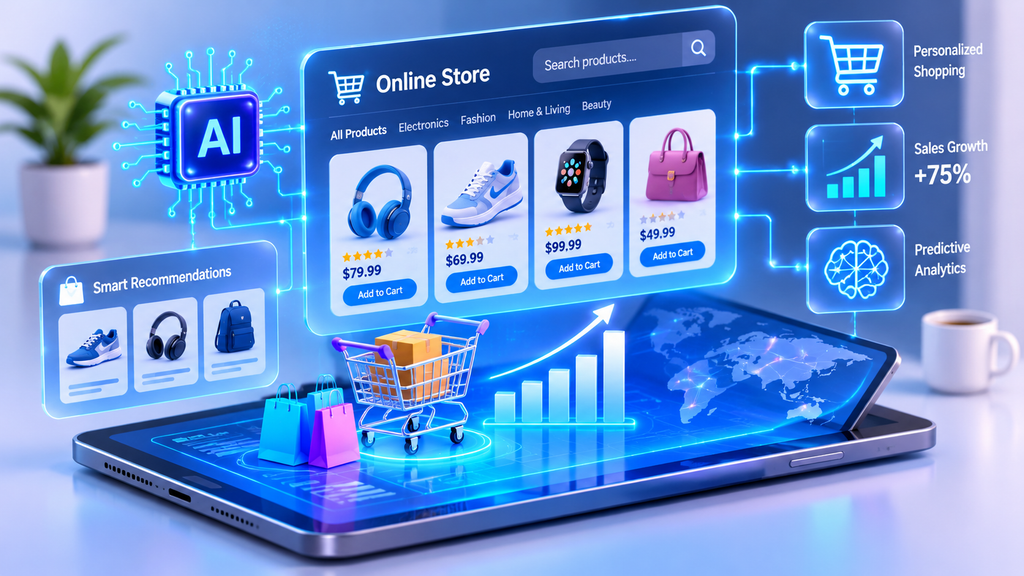
AI in e-commerce means using software that learns from data to improve online shopping and online selling. It helps shoppers find products faster. It also helps store owners save time and make better choices.
Three technologies do most of the work. Machine learning finds patterns, such as which products people often buy together. Natural language processing lets software understand human language, which powers chatbots and voice search. Computer vision reads images, which makes searching with a photo possible.
AI is not the same as basic automation. Automation follows rules a person wrote in advance, like sending the same discount email to every new subscriber. AI studies behavior and adjusts, so each shopper can see a different product, price, or message.
Two newer types matter too. Generative AI creates new content, such as product descriptions. Agentic AI takes action on its own, such as reordering stock or finishing a purchase. Used well, AI in e-commerce can touch every step, from the first search to the final delivery.
How Shoppers Use AI in E-Commerce
Younger shoppers lead the way. Salsify’s research shows that 79% of Gen Z and 77% of millennials use AI shopping tools for research. The number is 60% for Gen X and 36% for baby boomers.
Expectations are rising fast. A Nosto and Censuswide survey, cited by Shopify, found that 72% of consumers expect AI shopping assistants to help them buy online. Among shoppers under 45, that figure goes above 80%.
Real tools show how this looks in daily life. Amazon’s Alexa for Shopping, formerly called Rufus, can check a year of price history and schedule repeat purchases. Google Lens allows users to take a picture of a product and find similar items along with their prices. L’Oréal’s Skin Genius builds a skincare routine from a skin analysis.
Shoppers still want control. The top reasons people stop using AI for shopping are worries about data handling (24%) and a feeling that AI decides without them (21%). In my view, that is the key lesson for AI in e-commerce: help shoppers, but never take away their choice.

The Most Useful AI in E-Commerce Use Cases
All five guides pointed to the same core uses of AI in e-commerce. I see them as a menu, not a checklist. Pick the one that fixes your biggest problem first.
Personalized Product Recommendations
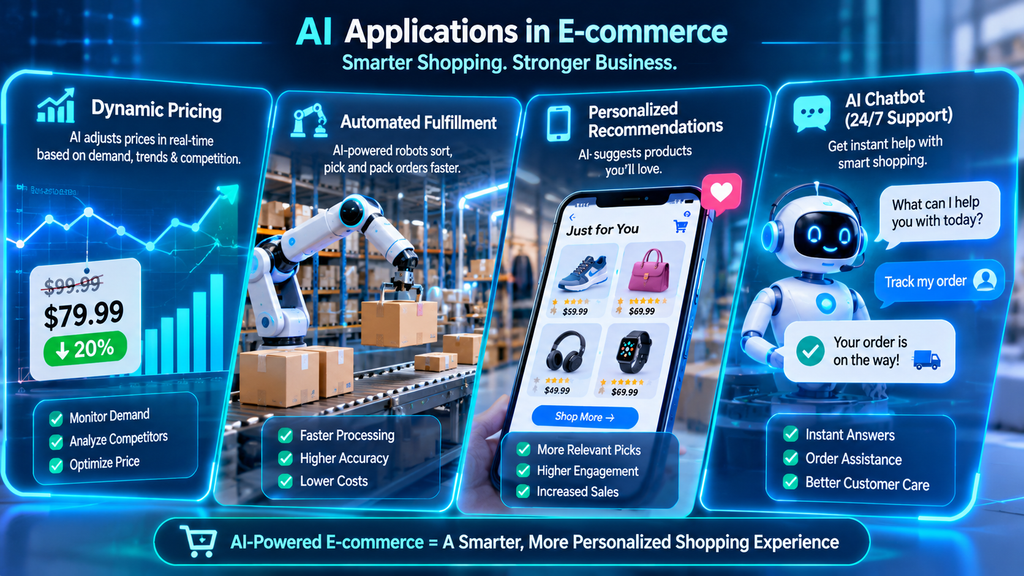
Recommendations are one of the most profitable uses of AI in e-commerce. They study browsing, past purchases, and live clicks to suggest what each shopper may want next.
Hostinger, citing Barilliance, says recommendations can drive up to 31% of revenue in sessions where shoppers engage with them. McKinsey found that companies doing personalization well earn 10 to 15 percent more revenue. When Yves Rocher moved to real-time recommendations, clicks on recommended items rose 17.5 times.
For a small store, I would begin here. Basic recommendation blocks are simple to add and easy to measure.
Intelligent Search and Visual Search
AI search reads what a shopper means, not just the letters they typed. A search for “hats” can show winter beanies to someone in a cold place. Bloomreach reported 25% more revenue per visitor and a 15% higher conversion rate from its AI search. Bensons for Beds grew online sales 41% after improving product discovery.
Visual search helps when a product is hard to describe, like a fabric pattern or a chair shape. Google Lens handles close to 20 billion visual searches a month.
The measurement for visual search is still young. I would treat it as a later project, not a first one.
Conversational Shopping Assistants and Chatbots
A basic chatbot answers common questions. A shopping assistant can also compare products and guide a purchase. Both work around the clock, which helps shoppers in any time zone.
Chatbots are the most common tool in AI in e-commerce. Shopify’s guide says AI chat and voice agents can cut the cost per call by nearly 50% in contact centers. Still, only about 25% of contact centers have AI fully built into daily work.
Always give shoppers an easy way to reach a real person. A bot that traps people hurts trust fast.
Dynamic Pricing
Dynamic pricing changes prices based on demand, competitor prices, and stock levels. Smart markdowns are a safe place to start. They slowly discount slow items and stop once a target is reached.
I would handle this part of AI in e-commerce with care. Frequent or unexplained price changes can reduce trust, especially when prices change for individual shoppers. Bloomreach also warns that vendor demos of per-shopper pricing deserve a skeptical eye.
I would wait until a store has enough data and a clear need.
Demand Forecasting and Inventory Management
Running out of a bestseller is costly. So is overstocking, because cash gets stuck in products that may never sell. AI forecasting uses past sales, seasons, weather, and trends to predict demand.
Forecasting is a strong fit for AI in e-commerce. Shopify reports that six in 10 retail buyers say AI has improved their forecasting accuracy.
Picture an outdoor store that sees a heatwave lifting demand for water packs two weeks early. It can reorder before the stockout, instead of learning about it in a report afterward.
Fraud Detection
AI learns what normal behavior looks like and flags what does not fit. Warning signs include many orders in a few minutes, big purchases on brand-new accounts, and repeated failed logins.
Fraud detection in AI in e-commerce is about balance. Fraud leads to chargebacks, but false declines lose honest customers. Tools like Stripe Radar and Kount aim to handle both problems.
I would postpone advanced fraud tools until a store has enough orders to justify them.
AI-Generated Product Content
Content is where most stores start with AI in e-commerce. Shopify’s survey found that 69% of merchants who use AI use it to generate content.
Ultimate Products manages 6,500 parent SKUs and about 20,000 variants. With an AI content tool, it saved about 9,000 working hours and nearly £200,000 a year. Groupe SEB USA cut an alt text task for 50 to 100 images from over two hours to about five minutes.
I treat AI as a first-draft helper. A person should check every description for accuracy, unsupported claims, and brand voice.
Customer Prediction and Retention
AI can score shoppers by how likely they are to buy or to leave. It can also learn when each person opens email, so messages arrive at the right time.
Bloomreach notes that AI can find customer groups a team would never build by hand. One example is shoppers who browsed three times this week, added an item once, and have not bought in 60 days.
Another industry guide reports up to a 30% improvement in retention from personalized messages. For small teams, this turns segmentation from a plan into something that ships.
Agentic Commerce and the Future of AI in E-Commerce
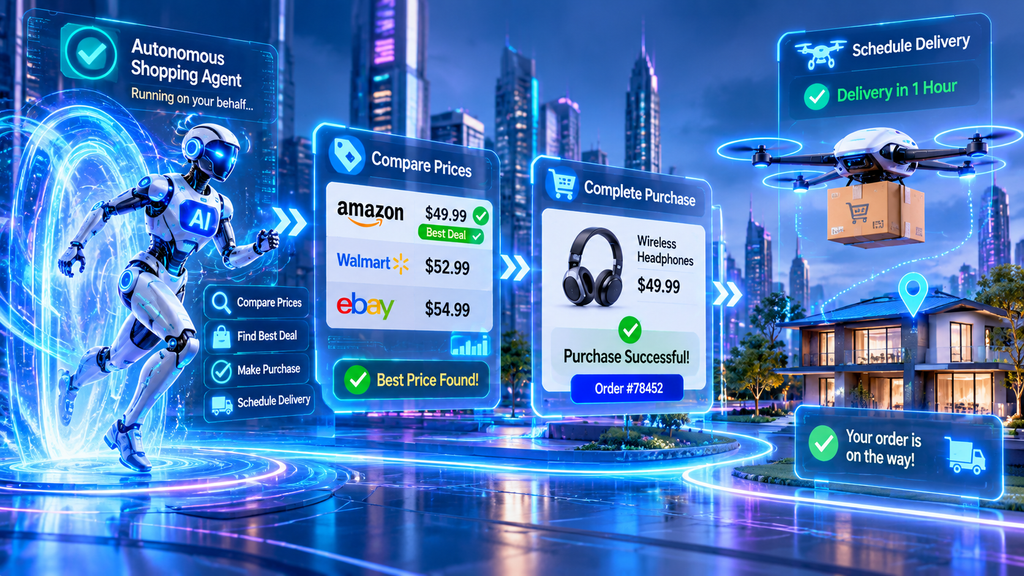
Agentic commerce is the next step beyond chatbots. A chatbot waits for a question. An agent works toward a goal.
For shoppers, an agent can research products across stores, compare prices, and complete checkout in one chat. For brands, it can adjust prices, reorder stock, or build an email campaign from a short written brief.
The size of this shift is large. McKinsey estimates that agentic commerce could handle up to $1 trillion in US retail revenue by 2030. Triple Whale reported that visits to US retail sites referred by generative AI grew 4,700% in a year.
I expect agentic commerce to make discovery, comparison, and buying more automated over the next 12 to 18 months. Still, the future of AI in e-commerce depends on trust. Bloomreach describes the safest model: the AI builds, and a human approves. Nothing goes live until a person signs off.
Product data matters more as agents start shopping for people. Clean attributes, clear prices, and honest policies help agents understand your catalog. Bloomreach also points to standards like Model Context Protocol, which lets tools from different vendors share data.
Using GEO to Get Found in AI Answers
Generative engine optimization, or GEO, shapes your content so tools like ChatGPT, Gemini, and Google AI Overviews can cite your products. Traditional SEO aims to rank in a list of links. GEO aims to become part of the answer itself.
This matters because clicks are shifting. Shopify’s guide reports that search traffic fell 10% after Google introduced AI Overviews. It also says top pages saw a 58% lower click-through rate when an overview appeared.
You can take simple steps today:
- Write clear product descriptions with exact details like materials, sizes, and uses.
- Add FAQ and comparison content in question-and-answer form.
- Collect honest customer reviews that AI tools can reference.
- Keep your product schema markup clean and complete.
Benefits of AI in E-Commerce
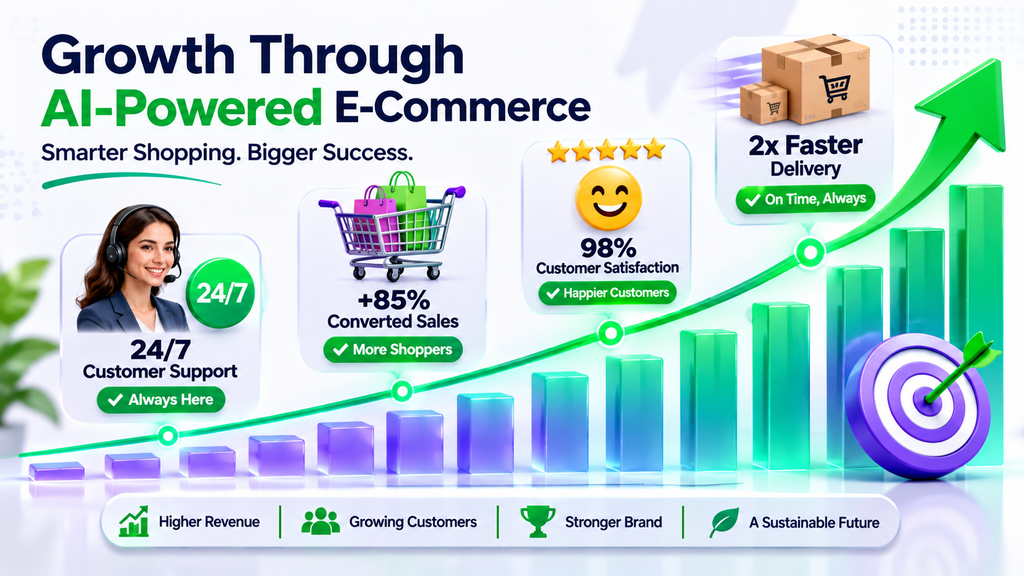
The benefits of AI in e-commerce match across all five guides. The first is revenue. Better recommendations, smarter search, and personal messages help shoppers buy more and return more often.
The second is lower cost. A Statista survey cited by Hostinger found that 94% of AI-adopting retailers report lower operating costs. Better inventory control, automated service, and data-driven choices all help.
The third is loyalty. A support system that remembers order history and works at 2 AM keeps customers coming back. That costs far less than finding new ones.
The fourth is time. AI takes over repeat tasks like writing descriptions and sending messages. This does not replace your team. It lets your people spend more hours on strategy and customer care.
Shopify’s survey adds a useful detail. Businesses earning over $100,000 a year were more likely to notice cost savings and the ability to scale with a small team. The benefits of AI in e-commerce tend to grow as a business grows.
My Experience With AI in E-Commerce
I want to be open about where my experience comes from. My work is hands-on and project-based, not from running a large online store. I have not implemented every system in this guide in a live shop.
I have used ChatGPT, Claude, Gemini, and DeepSeek for research, writing, editing, and brainstorming. I compare their answers, check the facts, and judge which tool fits which task. I prefer comparing results over depending on one tool.
I also run my own AI-focused website. There I research keywords, publish content, and track impressions, clicks, click-through rate, and rankings in Google Search Console. That work taught me how AI fits into a real content and SEO workflow.
My strongest firsthand experience with AI in e-commerce topics is in content generation, AI-powered search research, recommendations, and support chatbot exploration. For forecasting, pricing, fraud, and retention, I have researched the topic but have not run live projects. I do not have a verified before-and-after store case study, so I rely on published data and label it clearly.
The biggest lesson I have seen is simple. The most common problem is trusting AI-generated content without checking it. Businesses also spend money on tools without a clear goal or a way to measure results. In my view, AI should support human decisions, not replace research and quality control.
I also see the idea that AI can run a store with almost no human input as the most overhyped claim today. AI improves efficiency. Product quality, customer trust, and strategy still need people.
Challenges of AI in E-Commerce
Cost comes first. Hostinger estimates a custom AI setup can run $5,000 to $7,000 upfront, plus $600 to $1,000 a month. Shopify says third-party apps often cost $20 to $500 a month, and enterprise builds can pass $50,000.
You do not have to build from scratch. Built-in platform tools and low-cost apps let small stores start cheaply.
Data quality is the next hurdle. AI is only as good as the data it learns from. Messy or outdated product data leads to weak recommendations and wrong forecasts.
Imagine a chatbot pulling from an incomplete catalog and giving wrong answers. Trust drops quickly. Regular cleanup of duplicates, categories, and product details helps a lot.
Other risks of AI in e-commerce deserve attention too:
- Bias can appear when training data does not reflect your full customer base.
- Over-personalization can feel invasive.
- Old systems may not connect well with new tools.
- Privacy rules like GDPR and CCPA still apply.
Beginners also tend to adopt too many tools at once, expect instant results, or pick tools because they are popular. The best protection is a human fallback and honest communication. Tell customers where AI is involved and let them adjust personalization settings.

How to Start With AI in E-Commerce
I recommend starting with one problem, not one tool. Pick the metric that hurts most, such as conversion rate, cart abandonment, or stockouts. Then choose one use case tied to it.
Here are the three steps I would follow:
- Find repetitive tasks and your biggest business challenge.
- Choose one tool that solves a specific problem without adding extra cost.
- Test it on a small scale, measure the results, and improve the process.
A simple first win, like faster product descriptions, can show up within days or weeks. That depends on the task and your setup.
Before you invest, check four areas. You need a clear goal, such as reducing stockouts by 15%. Shopify suggests 12 to 18 months of clean order, traffic, and product data. Someone should own the project. Your platform should also connect to AI tools.
For a small store, I would start with customer support, product descriptions, and basic recommendations. These are practical starting points for AI in e-commerce. I would postpone dynamic pricing and advanced fraud detection until the store has more data.
A budget of about $20 to $100 a month is a reasonable starting estimate for a small store. A mid-size store might need roughly $100 to $500 or more a month, depending on integrations. These are my suggested ranges, not budgets from projects I have managed.
How to Measure the ROI of AI in E-Commerce
Measuring results separates stores that gain from AI from stores that only spend on it. Choose one clear number, like conversion rate, average order value, response time, or hours saved.
Record a baseline before you turn the AI feature on. Shopify suggests at least four weeks. Then compare performance afterward, or run an A/B test where half your traffic sees the AI version.
Count the costs as well, including app fees and team hours. A simple payback rule is total monthly cost compared with the time or revenue saved. Shopify suggests aiming to break even in under 12 months.
Bloomreach adds a smart warning. Be careful with any vendor that cannot support a holdout test, because revenue that is only “AI-attributed” will not convince your finance team.
Numbers alone miss part of the story. QuestionPro points out that a shopper can buy from a personal offer and still find it slightly uncomfortable. I also track customer satisfaction and run short surveys after launching a feature. Those catch problems a dashboard will not.
FAQs About AI in E-Commerce
How much does AI in e-commerce cost?
Costs vary a lot. Some platforms include AI tools at no extra charge, such as writing helpers and basic chat. Third-party apps usually run $20 to $500 a month.
Custom or enterprise builds can cost $50,000 or more. I suggest starting with free or low-cost tools, proving the value, and raising your budget as results come in.
What data do I need to start with AI in e-commerce?
At minimum, you need 12 to 18 months of order data, website traffic data, and a clean product catalog. Reviews, returns, and marketing results make AI more accurate.
Quality matters more than quantity. Clean, well-labeled data beats a large pile of messy records.
Will AI in e-commerce replace my team?
AI changes the work, but it does not remove the need for people. It takes over repeat tasks like drafting descriptions and answering routine questions.
That frees your team for strategy, creativity, and customer relationships. Teams that keep humans in the approval loop and train staff on new tools tend to get the best results.
Final Thoughts on AI in E-Commerce
AI in e-commerce has moved from a nice extra to a core part of how online stores work. Shoppers use it to research and buy. Businesses use it to personalize, forecast, spot fraud, and save time.
My advice is simple. Pick the one problem that costs you the most, choose a single use case, and measure it against a baseline. Let the results pay for the next step.
Keep a human in the loop, keep your data clean, and be open with customers about how you use AI. Which part of your store would you improve first?

Google Search AI has moved from a side experiment to the center of how people look for answers. AI Mode passed 1 billion monthly users in its first year, and Google says usage inside it doubled every quarter.
That speed matters to anyone who publishes, sells, or works online. If your pages, products, or services depend on search, the way Google Search AI works now affects you directly.
This guide pulls together what Google has said across Search, Google Cloud, and Workspace between 2023 and 2026. It explains which rules have stayed the same, what is new, and where businesses are starting to use AI agents.
You will also find a simple plan you can follow over the next month. It is written as practical advice, not as a claim of personal case studies, so every step is something you can test on your own sites.
How Google Search AI Judges Your Content
The first thing to understand is that Google Search AI did not rewrite the rules of quality. The standard Google set in early 2023 is still the foundation today.
The ranking systems behind Google Search AI aim to reward original, helpful content that shows expertise, experience, authoritativeness, and trustworthiness. Everything else about Google Search AI builds on that idea. Tools change quickly, but the question behind the rankings stays steady: is this page genuinely useful to a person?
Google has been clear that, for Google Search AI, how a page was made matters less than how good it is. It made the same point about a decade ago, when mass-produced human writing was flooding the web.
Google did not ban human writers back then. It improved its systems so the stronger pages rose above the weaker ones.
The same logic applies to AI-assisted writing. Automation has produced useful content for years, including sports scores, weather updates, and transcripts.
Google Search AI gives no special bonus to AI-written pages. It also gives no penalty just because a tool was involved.
In Google Search AI, a useful, original, trustworthy page can do well. A thin, copied, or careless page may not.
This frees you from the wrong question. Instead of asking “Is AI allowed?”, ask “Is this page actually good?”
The bar goes higher on serious topics. For health, finance, and civic information, Google says its systems lean even harder on signals of reliability.
If you publish in those areas, have a qualified person write or review each page. Put that person’s name and credentials where readers can see them.
Where Automation Becomes Spam
The line Google Search AI draws is about purpose, not tools. Using automation, including AI, mainly to manipulate rankings breaks its spam policies.
A system called SpamBrain looks for spam patterns no matter how the content was produced. A human-written page can be spam, and an AI-assisted page can be perfectly fine.
Here is a simple test. Would this page still be worth publishing if search engines did not exist?
If your answer is yes, you’re likely on the right track. If the page exists only to catch searches, it carries risk under Google Search AI.
Google also suggests a “Who, How, and Why” check. Who created this page, how was it created, and why does it exist?
Add a byline when readers would expect to know the author. Add a short note about AI or automation when readers would wonder how the page was made.
Naming an AI tool as the author is usually not helpful. It tells readers little about the real process or the people responsible.
A sensible personal rule is to use AI for research, outlines, and first drafts. Keep fact-checking, original examples, and final approval in human hands.
If a page would embarrass you without an editor’s touch, do not publish it. That one habit prevents most quality problems.

Winning in AI Overviews and AI Mode
In May 2025, John Mueller of Google Search Relations explained that long-standing advice still applies to AI Overviews and AI Mode. The goal remains to give people unique, satisfying content.
Google describes the opposite as “commodity” content. That means pages that repeat what a hundred other pages already say.
People who use Google Search AI tend to ask longer, more specific questions. They also ask follow-ups to go deeper.
That behavior rewards pages with real depth. A page that answers the obvious question and the next three questions has more chances to be useful.
Think of a topic as a conversation, not a single keyword. Google Search AI invites a first question, then a second, then a third.
List the follow-up questions your reader is likely to ask. Answer each one clearly under its own subheading.
This approach helps in two ways. Readers find what they need without leaving, and your page looks complete to Google Search AI.
Avoid padding. Long pages that repeat themselves help nobody, and Google Search AI is built to notice when an answer is thin.
Add something only you can offer. A photo from your own work, a number from your own records, or a lesson from a mistake all make a page harder to copy.
Page experience matters as much as information in Google Search AI. A page can hold great facts and still disappoint if it is cluttered, slow, or hard to read on a phone.
Try a quick check today. Open your five most visited pages on your own phone and see whether the main answer appears within the first few seconds.
Visuals matter too. People can now search with a photo or an upload and ask questions about it, so clear images and useful video help your pages appear in those searches.
If you sell products or run a local business, keep your Merchant Center and Business Profile details current. Google says AI Overviews are available in more than 120 countries and territories and 11 languages, so the reach of this feature is wide.
Technical Access and Preview Controls
None of this helps if Google cannot reach your pages. The technical basics are short and clear.
Googlebot must not be blocked. Each page should return an HTTP 200 status code, and it needs content that can be indexed.
Google says meeting these requirements covers regular search and Google Search AI formats alike. There is no separate secret checklist for Google Search AI.
You also control how much of your content can be shown. The tags nosnippet, data-nosnippet, max-snippet, and noindex set your display preferences.
Stricter settings can limit how your content appears in Google Search AI experiences. Before changing anything, decide whether you would rather be quoted or protected.
A news publisher and an online store will often answer that question differently. Make the choice on purpose, not by accident.
If you use structured data, the markup must match what visitors actually see on the page. Validate it before and after any change.
Here is a quick audit you can finish this week:
- Check your robots file for accidental blocks.
- Test your top ten pages for a 200 status code.
- Run your structured data through Google’s Rich Results Test.
- Review any snippet controls and confirm they match your goals.
After you fix anything, record the date and the change. Without a record, you cannot tell later whether the fix made a difference.
Measuring Traffic Quality in Google Search AI
Google says clicks from pages that show AI Overviews in Google Search AI tend to be higher quality. Visitors are more likely to spend time on the site.
The reasoning is simple. The AI answer gives people context first, so the ones who click are more interested.
Treat this claim as a hypothesis to test, not a fact to accept. Your own data should decide whether it holds for your site.
Raw click counts can mislead you in the world of Google Search AI. A page might lose clicks but gain buyers, or the reverse.
Track what visitors do after they arrive. Useful signals include sales, signups, time on page, and searches for your brand or business name.
Compare these numbers by landing page over a 90-day window. A short window can hide real changes, and a single bad week proves very little.
Keep a simple log with the page, the date, the metric, and the change you made. Over a few months, that log turns guesses into evidence.
If you notice a drop after an update or after adding AI-assisted content, avoid reacting in a hurry. First check whether the page changed, whether competitors improved, and whether the search itself shifted toward AI answers.
If you see a gain, find out why. Was it better depth, faster loading, clearer authorship, or a new format? Repeat what worked on your other pages.

The Agentic Shift in Google Search AI
The May 2026 post from Elizabeth Reid, who leads Search at Google, shows how far the product has moved. Alongside the one billion monthly users for AI Mode, she said overall queries reached an all-time high last quarter.
Gemini 3.5 Flash became the default model in AI Mode worldwide, which sits at the heart of Google Search AI. Google also described it as the biggest search box upgrade in more than 25 years.
The new box grows as you type and suggests ways to phrase your question. It accepts text, images, files, videos, and even Chrome tabs.
Google Search AI is also becoming more conversational. You can ask a follow-up straight from an AI Overview and move into AI Mode with your context intact.
Google Search AI also gained Personal Intelligence, now expanded to nearly 200 countries and 98 languages without a subscription. If you choose, it can connect apps such as Gmail and Google Photos.
All of this means Google Search AI is no longer just a list of links. It is becoming a place where people think, compare, and decide.
Information Agents and Booking
The biggest idea in that post is the Search information agent. It runs in the background, watches the web for fresh data on topics like finance, shopping, and sports, and sends a summary when something changes.
Google’s example is apartment hunting. You describe what you want once, and the agent keeps scanning for matching listings.
Google said these Google Search AI agents would arrive for AI Pro and Ultra subscribers in the summer. It is worth checking whether they have reached your account yet.
Booking inside Google Search AI is growing as well. Search can collect pricing and availability for something like a late-night karaoke room for six, then send you to the provider to finish.
For categories such as home repair, beauty, and pet care, Google can even call businesses for you. Google planned these Google Search AI features for everyone in the U.S. this summer.
If you run a local business, this is a strong reason to keep your hours, prices, and availability accurate everywhere Google can see them. An agent that cannot find clear details will likely move on to a competitor who has them.
Google Search AI can also build parts of its answer on the spot. Using Google Antigravity and Gemini 3.5 Flash, it can create interactive visuals, tables, graphs, and simulations shaped to your question.
It can also create lasting “mini apps,” such as a fitness tracker or a wedding planning dashboard. Those began with AI Pro and Ultra subscribers in the U.S.
This changes how you compete for attention. If Google Search AI can build a calculator or chart by itself, a page that only repeats basic facts offers little.
Better bets in Google Search AI include original data, first-hand experience, and tools that Search cannot easily copy. Build the thing that an AI summary cannot replace.

Google Search AI Beyond Search: Cloud and Workspace
The same direction as Google Search AI shows up across the rest of Google. Search, Google Cloud, and Workspace all lean toward AI that does tasks, not just answers questions.
It helps to note a limit here. The Cloud and Workspace pages I reviewed were lists of headlines, so the points below come from titles and descriptions, not full articles.
On Google Cloud, the main theme is business agents. “Gemini at Work 2026” introduces the Gemini agent, and another post covers expanding Google Antigravity for enterprise customers.
The page also lists Gemini Omni 1.2 Flash, now generally available for video generation and editing. It mentions Gemini Robotics Embodied Reasoning 2 as well.
Choice is another theme. Google Cloud is expanding Claude availability and bringing OpenAI models to customers, which suggests companies want the best model for each job instead of relying on one.
Practical needs appear too. Spend caps are now generally available to help teams control costs, and IAM Helper Agent Skills and MCP tools focus on running agents securely.
If you manage technology at a company, read these headlines as a list of questions. Which model fits each task? How will you cap spending? Who controls what an agent may do?
Those questions apply whether you use Google Search AI for marketing research or build internal tools on Cloud. Good answers come before good rollouts.
It also helps to link the pieces together. A business can use Google Search AI to spot what customers ask, use Workspace agents to prepare replies and summaries, and use Cloud tools to run larger projects safely.
Each layer supports the next. Search shows demand, Workspace saves time on routine work, and Cloud provides the controls that larger teams need.
Whatever you build, keep a human in charge of the final decision. Google Search AI and its sibling tools are strong assistants, but they still need a person to judge quality.
Workspace Agents and Team Skills
On the Workspace side, a featured post introduces Google Workspace Studio. It is a tool for automating everyday work with AI agents.
Two posts by Laura Mae Martin appear to be practical guides. One covers how she uses Workspace Studio and Gemini to streamline her day, and the other lists five agents she tells every executive to build first.
Monthly update posts add to the picture. They mention editing Markdown, talking to Gmail and Docs, translating meetings, and creating or editing images with pro-level AI.
There is also a post on six mini apps you can build with Sheets canvas. It echoes the mini app idea from Search.
Start small with these tools. Pick one task you repeat every week, such as sorting meeting notes or sending status updates, and build a single agent for it.
Run it for two weeks and measure the time saved. Only then add a second agent.
Another post, by Ali Douvre, focuses on teaching Gemini your team’s know-how with skills in Workspace. Going by the title, skills let a team give Gemini reusable instructions.
That matters because a general AI knows a little about everything but nothing about your style, checklists, or rules. Writing down the steps your best team member follows lets everyone get results that match your standards.
Three more posts focus on readiness. They cover the role of enterprise context, the human side of agentic change, and a survey on the gap between AI ambition and readiness.
Only the titles were visible, so the survey results are not described here. The titles still point to a common problem: wanting AI is easier than being ready for it.
Readiness comes down to people and information. Staff needs to know what agents can and cannot do, and agents need accurate company data.
Before any rollout, list the three tasks you want to automate. Name an owner for each, and confirm the data an agent would use is current.

A 30-Day Plan for Working With Google Search AI
Across all five sources, the pattern is consistent. Google’s content standard has stayed steady since 2023, while its products move toward AI-written answers, custom interfaces, and agents that act for you.
For publishers, success in Google Search AI means making pages that offer something a summary cannot. Think first-hand experience, original data, and clear expert authorship.
For teams, it means choosing a few useful agents and building them carefully. Google Search AI rewards focus more than speed.
Here is a simple schedule you can adapt.
Week 1: Technical checks. Confirm Googlebot access, verify 200 status codes, validate structured data, and review snippet controls.
Week 2: Improve your top five pages. Add depth, clear authorship, better images, and a faster mobile experience.
Week 3: Set up measurement. Track sales, signups, time on page, and brand searches by landing page, and start your 90-day log.
Week 4: Try one small automation. Build a single Workspace agent for one repeated task and measure the time it saves.
Be honest in how you describe your own work. If you have not yet tested something, say you recommend testing it instead of claiming results you do not have.
Readers and search systems both reward that honesty. Over time, the experiments you run this month become the real case studies you can share next quarter.
Watch for a few common mistakes as you adapt to Google Search AI.
The first is publishing at high volume with little review. Fast output feels productive, but Google Search AI favors pages that carry real value.
The second is hiding who is responsible. A page with no author and no source gives readers little reason to trust it.
The third is changing everything at once. If you edit titles, layouts, and content in the same week, you will never know which change mattered.
The fourth is ignoring the basics. A blocked crawler or a broken status code can undo months of good writing, however strong your Google Search AI strategy looks on paper.
The fifth is copying competitors. If your page says the same thing as ten others, Google Search AI has no reason to prefer it.
Small, steady steps will serve you better than chasing every new feature. Google Search AI will keep changing, but helpful, original, people-first work remains the safest investment.

Frequently Asked Questions
1. Does Google Search AI penalize content written with AI?
No. Google says it rewards helpful, original, trustworthy content regardless of how it was made. The risk comes from using automation mainly to manipulate rankings, which breaks its spam policies. Pages made with AI help can do well if a human checks accuracy and adds real value.
2. Do I need special optimization to appear in AI Overviews and AI Mode?
Google says the usual fundamentals apply to Google Search AI too. Googlebot must be able to crawl your page, the page must return a 200 status code, and it must have indexable content. Beyond that, focus on unique, satisfying content, a good mobile experience, strong images and video, and accurate business information.
3. How should I measure success if clicks are changing?
Look beyond raw clicks when you study Google Search AI traffic. Track sales, signups, time on page, and brand searches, and compare them by landing page over about 90 days. Google claims clicks from pages with AI Overviews tend to be higher quality, so test whether that holds true in your own data.

A controlled experiment cited in the sources behind this guide found that people who used ChatGPT finished tasks about 40% faster, and their work scored about 18% higher in quality. Numbers like that explain why AI assistant apps have become one of the most crowded software categories in 2026. They also explain why picking the wrong AI assistant app wastes money and time. I use an AI assistant app almost every day for research, article planning, and drafting, and I have worked with ChatGPT, Claude, Gemini, and DeepSeek firsthand. To cover the rest of the market, I compared five published roundups and one product page that together describe more than 30 tools. This guide shows which AI assistant app fits general use, research, email, calendars, projects, meetings, and automation. You will also see prices, free plans, privacy checks, and the claims I would not trust at face value.
Transparency note: I have no affiliate links or paid relationships with any tool here. I did not run formal, multi-week tests on every product, and when a number comes from a company’s own article, I say so.
What Is an AI Assistant App and Why Does It Matter?
An AI assistant app is software that uses artificial intelligence to answer questions, plan your work, manage your schedule, write messages, research topics, and summarize information. A good AI assistant app also learns your preferences and connects to tools you already use, such as Gmail, Outlook, Google Calendar, Slack, and Drive. Some work like a general chat partner, and others focus on one job, such as sorting your inbox or protecting time on your calendar.
Every AI assistant app falls into one of three groups, and comparing across groups leads to poor choices. The first group is the chatbot. ChatGPT, Claude, Gemini, and Perplexity answer questions and write text, and you usually do the copying, pasting, and sending yourself. The second group is the single-app tool. Motion plans your calendar, Otter.ai transcribes meetings, and Reclaim.ai defends your focus time. Each one is excellent at a single job but cannot cross into other apps. The third group is the autonomous agent. This kind of AI assistant app operates software the way a human assistant would, browsing the web, filling in spreadsheets, and drafting emails, then pausing for your approval before anything permanent happens. Sai by Simular is built around this idea, and the agent mode in ChatGPT and the file and browser tasks in Claude point the same way.
Voice assistants form a separate category. Alexa, Siri, Bixby, and Google Assistant handle quick commands and smart home control. Alexa works with more than 100,000 devices and succeeded on the first try 96% of the time in one test, compared with 93% for Google Home and 84% for Siri. They are handy, but they were not built for deep knowledge work, so this guide focuses on the AI assistant app that helps you think, write, plan, and finish tasks.
Why bother with an AI assistant app at all? The biggest gain is time. A good AI assistant app handles the first draft, the first search, and the first sort of your inbox, which leaves the judgment calls to you. It also cuts context switching, since one AI assistant app can pull a file, summarize it, and draft the reply without you opening five tabs. One source says users report saving one to three hours a day, but self-reported figures are only a rough guide. In my experience, the savings come mostly from less manual reading and faster outlines, not from skipping the checking step.
I judged every AI assistant app on five points that kept showing up across the sources: accuracy, integrations, ease of use, control, and value. Accuracy asks whether answers are correct without constant coaching. Integrations ask whether the AI assistant app reaches your email, calendar, notes, and project tools. Ease of use asks whether you will still open it a month from now. Control covers approval before sending, source links, and permission settings. Value looks at usage caps, seats, and connected inboxes, not only the monthly fee. Most of them sell a product on the list, so I lean on claims that two or more sources agree on and flag the rest.
How do you know which kind you need? Ask yourself whether you need help thinking, help with one task, or help finishing a whole workflow. That single question narrows the field faster than any feature list, and it keeps your next AI assistant app purchase tied to a real daily bottleneck.

Best AI Assistant App for General Use, Research, and Writing
Most people start with a general AI assistant app. They add a specialist later. These tools suit broad work and research.
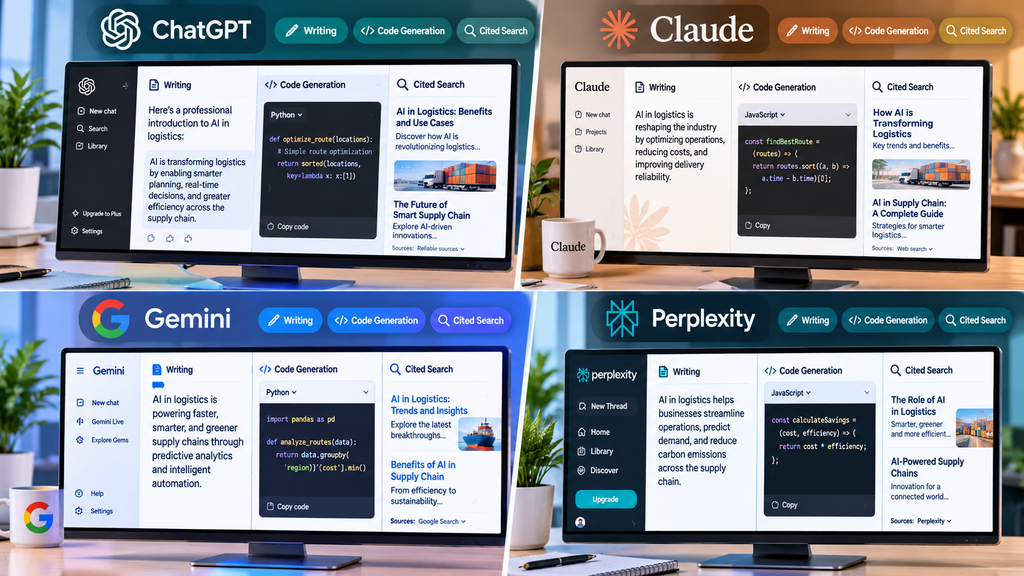
ChatGPT: The Best All-Round AI Assistant App
ChatGPT was widely recognized by most sources as the best all-rounder. This AI assistant app handles writing, planning, research, coding help, file analysis, images, and voice. Voice mode on a phone can use your camera. Agent mode, Canvas, Projects, and custom GPTs go beyond simple chat.
Plans start free. Plus costs $20 a month. Pro costs $200. Business plans run $20 to $25 per user. Vague questions get vague answers from this AI assistant app. The strongest agent features sit on higher tiers.
In my own work, ChatGPT is the AI assistant app I use most. I give it a topic, my target reader, a focus keyword, and a writing style. Then I ask for logical headings before any writing. That gives me a clean outline to check against my keyword research. Before this, research meant much more manual reading. Now I can generate ideas and create the initial structure more quickly. I have not tracked the exact time saved. I still check keywords, edit the draft, and verify key claims.
Claude: The AI Assistant App for Long Documents
Claude is the AI assistant app to pick for long documents and natural writing. One source gave this AI assistant app 10 competitors’ annual reports. That was more than 800 pages. It accurately pulled out pricing models and growth rates. It also noted where the data was unclear.
Pro costs about $20 a month. Max runs $100 to $200 for heavy use. I use Claude next to ChatGPT. It impressed me because it helps at several stages of content work. I have not measured one against the other. So I cannot name a winner.
Gemini: The AI Assistant App for Google Users
Gemini is the AI assistant app that shines if you live in Google. It works with Gmail, Docs, Drive, Calendar, and Android. You can ask it to find an email or list tomorrow’s meetings. Its Deep Research feature builds a plan before it writes a report.
Google AI Plus costs $4.99 a month. Google AI Pro costs $19.99. Ultra costs $99.99. I have used Gemini too, but not as deeply. Most strengths here come from reviewers. If your work sits inside Google, this AI assistant app rewards you most.
Microsoft Copilot is an AI assistant app for Microsoft users. It works inside Word, Excel, PowerPoint, Outlook, and Teams. One test found it built a pivot table, a chart, and conditional formatting from one plain request. It costs about $20 to $30 a month on top of Microsoft 365. It works poorly outside that world.
Perplexity: The AI Assistant App for Cited Research
Perplexity is an AI assistant app that gives every answer with source links. You can check claims instead of trusting them. In one test, it returned correct pricing for 9 of 10 competitors. Each came with a link to the pricing page. In another test, it wrote a competitive landscape report in 12 minutes. The source said a person would need 3 to 4 hours.
Pro costs $20 a month or $200 a year. This AI assistant app cannot act on what it finds. It will name the cheapest flight but not book it. Its citations on niche topics can also be wrong.
Grok: The AI Assistant App for Real-Time News
Grok is an AI assistant app from xAI. It connects to X and the live web. That makes it good at today’s news. X Premium costs about $8 a month. The Heavy plan runs around $300. Grok pulls from X in real time, so answers can be biased. Any important answer deserves a second check.
DeepSeek: The Low-Cost AI Assistant App
DeepSeek is an app with strong reasoning at a very low cost. It has a 128K token memory for long files. Developers can customize it. It surprised me the same way ChatGPT and Claude did. It helps at several stages of content work.
Creative writing trails the top models. Servers can get busy. Data concerns come with its China-based infrastructure. So I would keep sensitive work out of it. Even a free AI assistant app still needs fact-checking.
Best AI Assistant App for Email, Calendars, Projects, and Automation
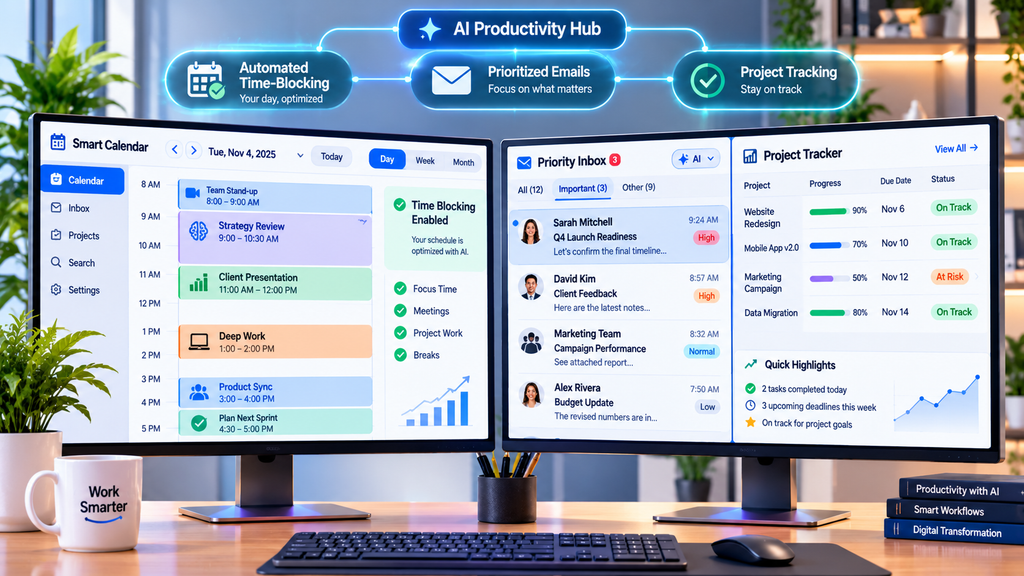
When one daily task eats your time, a specialist AI assistant app usually beats a general chatbot. The sources agree on a few clear leaders.
alfred_: The AI Assistant App for Email
alfred_ is built for founders and executives who spend too much time in their inbox. This AI assistant app connects to Gmail, Outlook, and calendars. It sorts email, drafts replies, pulls tasks out of messages, and sends daily briefings. Nothing goes out until you approve it.
It costs $24.99 a month or $249 a year, with a 7-day trial. One FAQ in the same source says $29.99. So check the current price.
Superhuman: The Fast AI Assistant App for Inbox Zero
Superhuman is a keyboard-driven AI app for email. Grammarly now owns it. It mixes AI-written text with your saved snippets. You keep your voice and your speed. It starts at $40 a month. That is steep. The shortcuts also take time to learn.
Reclaim.ai: The Calendar AI Assistant App
Reclaim.ai is a calendar AI assistant app. It schedules habits, tasks, meetings, and breaks. It works inside Google Calendar or Outlook Calendar. You mark each habit as flexible or defended. It moves things around when a meeting lands. In a month-long test, one source says it kept 87% of target habits. That was despite a heavy meeting load.
A free plan exists. Paid plans were listed at $8, $10, or $12 per seat per month, depending on the source. If your calendar is chaos, this AI assistant app is the one to try first.
GoodDay: The Project Management AI Assistant App
GoodDay is a full project management system. It also works as an AI assistant app, with chat and agents on top. It offers lists, boards, Gantt views, time tracking, and dashboards. Professional costs $6 per user per month. Business costs $10. The company says over 100,000 teams use it. That claim comes from GoodDay’s own article, so weigh it with care.
Motion: The AI Assistant App for Scheduling Projects
Motion is another project AI app. It adds automatic scheduling. It also predicts when projects will finish. If something slips, it warns you early. Sources disagree on cost. Prices range from $19 to $49 a month. Check the current page.
Saner.AI: The Chat-First AI Assistant App
Saner.AI is a chat-first AI assistant app. It covers notes, tasks, email, and calendar. It turns messy thoughts into tasks. Plans cost $8 and $16 a month on yearly billing. These details come from Saner’s own article, so weigh them with care.
Notion AI: The AI Assistant App Inside Notion
Notion AI is an AI assistant app that answers questions across your Notion workspace. It is listed as an $8 plan or a $10 add-on. It works only inside Notion. So it helps most if Notion is already your home base.
Granola: The Meeting AI Assistant App
Granola is a meeting AI assistant app. It records audio from your own device. So no bot joins the call. It costs $18 a month. A free plan covers 25 meetings.
Otter.ai: The Transcription AI Assistant App
Otter.ai is a transcription AI assistant app. It joins Zoom, Teams, or Google Meet. It reached about 95% transcription accuracy in one test. It lists action items. It does not carry them out.
Zapier: Connect Any AI Assistant App to Your Tools
Zapier connects more than 9,000 apps. It makes any AI assistant app more useful. It lets Claude, ChatGPT, and other assistants take real actions through MCP. Pricing starts at $19.99 a month on annual billing.
Lindy: The Automation AI Assistant App
Lindy is an AI assistant app for automation. It handles inboxes, meetings, and follow-ups. Plans cost $49.99 to $199.99 a month. Beginners find setup confusing.
Sai: The Autonomous AI Assistant App
Sai by Simular runs on a real cloud desktop. It asks for approval before it sends or deletes anything. Pay-as-you-go costs $50 a month. Its 94% email accuracy figure comes from Simular itself. Verify it on a free trial.
AI Assistant App Pricing Compared
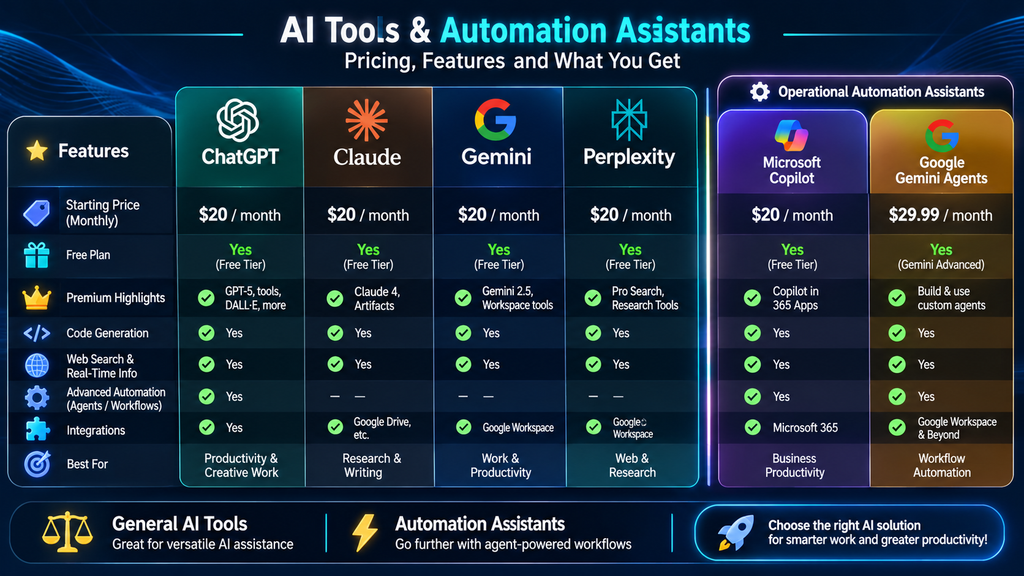
Prices change often, and the sources did not always agree, so treat the table as a starting point and check each company’s pricing page. I have not kept a documented comparison of paid plans or their return on investment, so these figures come from the sources, not from my own billing.
| AI assistant app | Free plan | Typical paid entry point |
| ChatGPT | Yes | $20/month |
| Claude | Yes | $20/month |
| Gemini | Yes | $19.99/month |
| Microsoft Copilot | Basic | $20 to $30/month |
| Perplexity | Yes | $20/month |
| alfred_ | 7-day trial | $24.99/month |
| Superhuman | No | $40/month |
| Reclaim.ai | Yes | $8 to $12/seat/month |
| Saner.AI | Yes | $8/month |
| Zapier | Yes | $19.99/month |
| Lindy | 7-day trial | $49.99/month |
| Granola | 25 meetings | $18/month |
A few habits keep costs down. Start with the free plan of one AI assistant app and note which limit you hit most often. Pay only for the plan that removes that limit, and prefer monthly billing until you are sure the tool earns its place. Annual billing is cheaper, with GoodDay listing $4 and $7 per user instead of $6 and $10, but it locks you in. Use the 7-day trials from alfred_ and Lindy to test real work, not demo tasks. Finally, avoid paying for two AI app subscriptions that do the same job, such as two general chatbots.
Free options deserve a look first. ChatGPT, Claude, Gemini, and Perplexity all have free plans, and Meta AI and DeepSeek are free to use. Meta AI sits inside Instagram, WhatsApp, Messenger, and Facebook, but it trails ChatGPT and Claude in reasoning and carries privacy concerns. Monica puts several models in a browser sidebar and claims more than 10 million users, though its page shows no pricing details. The monthly fee is only part of the cost. Check usage caps, seats, connected inboxes, and storage, because a cheap AI assistant app that blocks your key action costs more than a pricier one that saves hours.
How to Choose the Right AI Assistant App for Your Needs
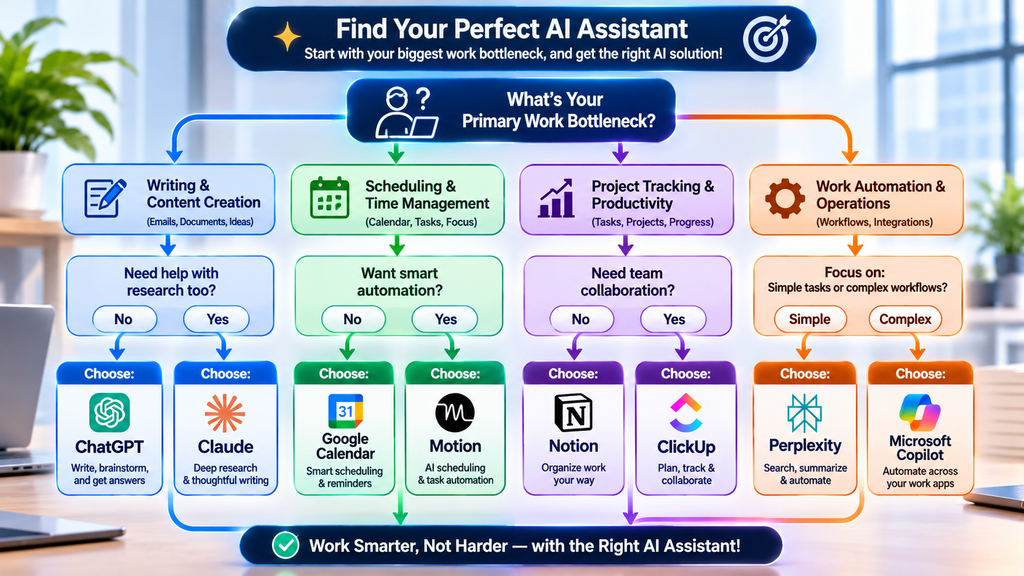
Start with your biggest daily bottleneck, not the tool with the longest feature list. If email eats your day, look at alfred_ or Superhuman. If your calendar is chaos, try Reclaim.ai. If you need research you can verify, pick Perplexity. If your work lives in Google or Microsoft apps, start with Gemini or Copilot. Then check what the AI assistant app can reach and what permissions it asks for. An assistant that cannot see your calendar, email, or files can only guess.
Different people need different setups. A student or beginner can start with the free plan of ChatGPT, Claude, or Gemini, since a general AI app covers questions, summaries, and writing help at no cost. A writer or researcher benefits from pairing a general AI app with Perplexity, so claims come with links. A manager or founder with a packed inbox should test alfred_ or Lindy, because an email-focused AI app removes the most repetitive admin. A team that lives in shared boards and deadlines may prefer GoodDay or Motion. A solo creator who juggles notes, tasks, and a calendar might like Saner.AI. Which one fits you? Match the tool to the job you dread most, then judge it after one real week.
Control matters just as much. For personal tasks, a wrong answer is a small annoyance, but a wrong email or project update at work can cause real trouble, so favor an AI assistant app that asks for approval, shows sources, and keeps a clear record. Finally, test it in your real routine. Use a free plan or a 7-day trial for a full week, on your phone and your laptop, and see whether you keep reaching for it.
Prices are rising, and a deals roundup says Black Friday can bring 25% to 70% off premium plans. It may pay to wait before buying an annual AI assistant app plan.
Privacy and Accuracy Checks Before You Commit to an AI Assistant App
Every connection you grant is a door into your data. Connectors to Gmail, Drive, and Slack make an AI assistant app far more useful, and they also raise privacy questions, so read what each one can see and change. Agents that can edit or delete files deserve extra care, so give them only the folders they need. Security varies. Zapier points to SOC 2 certification, Siri processes some tasks on your device, and enterprise plans add audit logs. DeepSeek and Meta AI draw privacy concerns in the sources, so I would keep sensitive material away from both.
Human review is the habit that matters most. In my own use, AI drafts sometimes include unsupported claims, inaccurate details, or generic explanations that say very little. I never publish AI-generated content without checking it. I verify key facts against the source and edit for specifics. Vendor statistics need the same care, because accuracy percentages, user counts, and customer numbers stay unverified until an independent source backs them up. My final advice is simple. Start with ChatGPT or Claude as your main AI assistant app, add one specialist, keep approvals on, and treat every AI draft as a strong first pass.

Frequently Asked Questions About the AI Assistant App
What is the best AI assistant app overall?
ChatGPT is the most common pick for an all-purpose AI assistant app because it handles writing, research, planning, files, images, and voice in one place. Claude is a close choice if you work with long documents, and Gemini fits Google users. No single AI assistant app wins every task.
Is there a free AI assistant app worth using?
Yes. ChatGPT, Claude, Gemini, and Perplexity all offer free plans, and Reclaim.ai and Saner.AI have them for scheduling and tasks. Free plans limit usage, so expect to hit caps if you rely on one heavily. Try the free AI assistant app first, then pay only for the limit that blocks you.
Is it safe to connect an AI assistant app to my email and calendar?
It can be, if you choose carefully. Pick an AI assistant app that asks for approval before sending, review each permission, and avoid giving agents wider access than they need. Read the company’s privacy terms, and keep highly sensitive work out of tools with unclear data practices.
-

 AI in Digital Marketing1 month ago
AI in Digital Marketing: Practical Uses, Benefits, and Strategies
-

 AI Technologies1 month ago
AI in App Development: How to Build the Best Apps From Idea to Production
-

 AI Applications1 month ago
AI Content Optimization: What It Is and Why It Matters
-

 AI Applications3 weeks ago
AI in Gaming: Uses, Benefits, Examples, and Future Trends
-

 AI Technologies1 month ago
AI in Web Development: A Practical Guide to Coding, Powerful Tools, and Real-World Experience
-
 AI in Agriculture1 month ago
AI in Agriculture: Uses, Benefits, Challenges, and Future Trends
-

 AI Applications4 weeks ago
AI in Construction: Uses, Benefits, Tools, Challenges, and Future Trends
-

 AI Applications4 weeks ago
AI Personalization: Smarter Marketing That Converts